
Product Releases and Updates


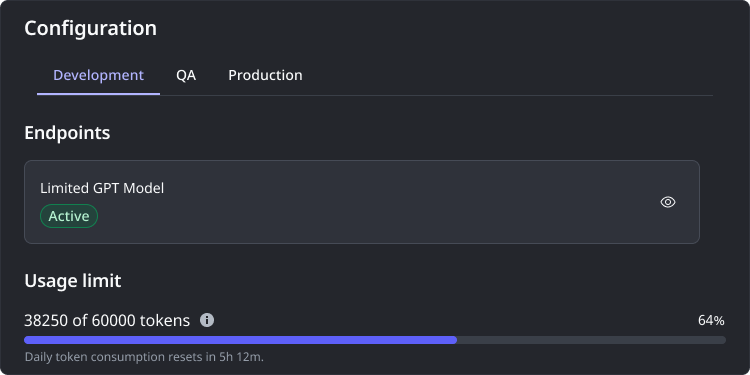
Integrating AI models for crucial tasks like understanding language within applications often leads to a tangled web of separate connections and scattered management. This set up creates significant hurdles in tracking usage, reining in cost and upholding security and compliance as your AI initiatives expand. It can stifle innovation and make AI model management a headache. We are excited to introduce a new feature in OutSystems Developer Cloud built-in AI Model Management capabilities: daily token limits for each model. This new feature gives you better control over costs and resource usage, right within the same platform that already provides centralized oversight, monitoring, and security. This makes it easier and more cost-effective to confidently scale AI across all your applications.
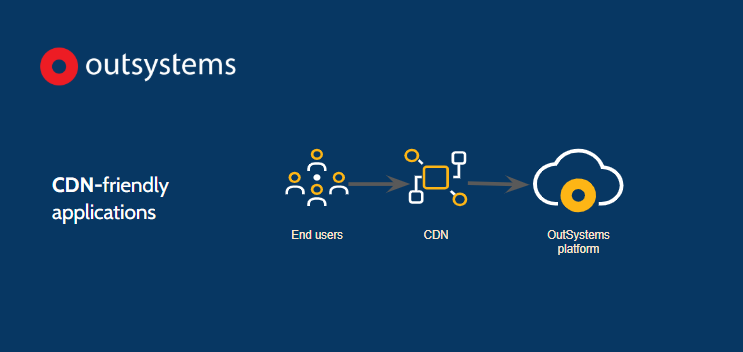
Available since day one in OutSystems Developer Cloud, we’re happy to report that applications built in OutSystems 11 are now also CDN-friendly. Content Delivery Networks (CDNs) are commonly used to improve performance and the response time perceived by users. CDNs cache application resources (e.g. Javascript) and need to refresh when they change to guarantee a correct end-user experience. Administrators can now configure the OutSystems 11 Platform to rename application resources when they change, forcing a refresh in the CDN. This eliminates the need for manual CDN refreshes and avoids stale caches and user experience problems.
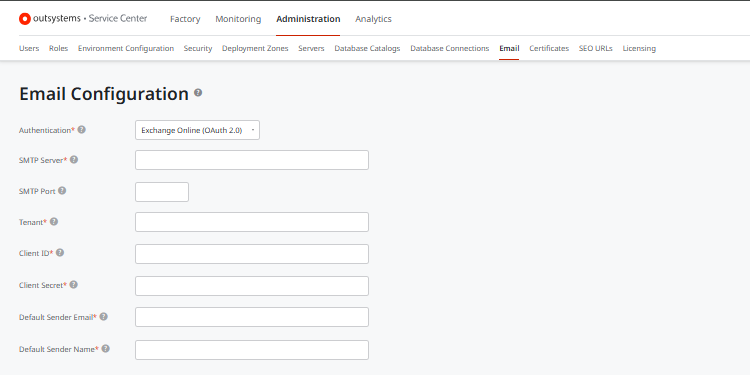
O11 Integration with customers' email servers now supports OAuth, the gold standard for SMTP authentication. The update mitigates security concerns connected with the SMTP Basic Authentication and allows painless transition from it. The new configuration is available in the Service Center and doesn’t require manual application changes.
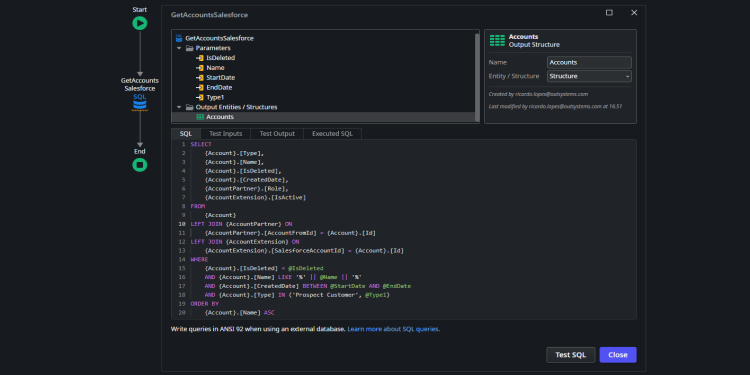
Data Fabric in ODC just got an exciting new feature: SQL Queries for external entities. Unleash your true data potential by manipulating data with no limits. Developers can now write, test, and optimize complex SQL queries directly within their apps using a common language, regardless of the data source. While Aggregates offer a streamlined approach, SQL queries provide the flexibility needed for advanced data manipulation. Start exploring this new capability and enhance your integrations!
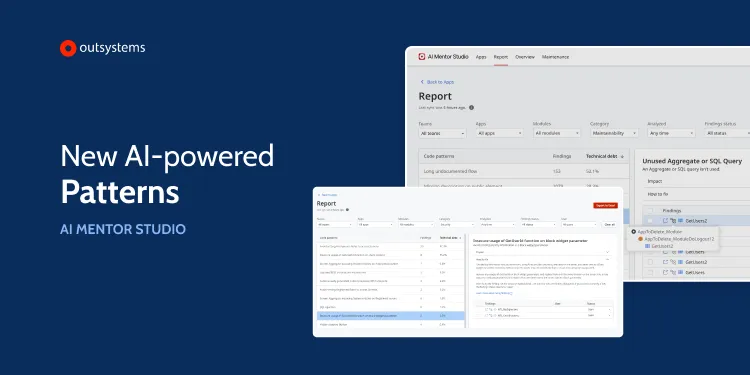
We are excited to announce the availability of a new feature in AI Mentor Studio on OutSystems 11. Our code injection patterns are now more powerful and precise in detecting potential security issues within your applications. This improvement leverages taint analysis - a cutting-edge technology that monitors the flow of user inputs throughout an application's screens and logic. It identifies unsanitized inputs that may reach sensitive areas like SQL nodes, HTTP requests, and other high-privileged operations. By pinpointing these vulnerabilities with greater precision, you can focus on the critical issues that need attention and strengthen your app’s robust security. This new pattern is now available for Reactive Web Apps and will be available in OutSystems Developer Cloud (ODC) soon.
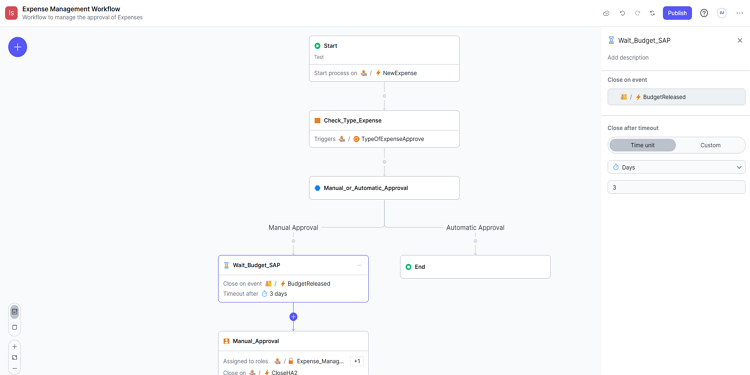
We’re pleased to announce the latest updates to ODC Workflows bringing enhanced user experience and expanded automation capabilities to help teams achieve better customization and troubleshooting. We’ve added the possibility to configure the time interval for workflow execution, making it easier to apply custom SLAs (Service Level Agreements) or any time-sensitive condition to your workflows and align them with your team’s specific needs.We’ve also introduced a new labeling feature in the Start node, enabling developers to assign labels to each workflow instance. This addition helps you quickly identify and address issues during troubleshooting, saving time and effort. As for the experience upgrades, users now can enjoy a light mode option. A newly added switch view allows teams to toggle to a summarized version of workflows, providing a streamlined way to review and manage complex workflows.
The latest version of Mobile Apps Build Service (MABS) is now GA! Safely submit your mobile apps to the Apple App Store and Google Play Store throughout 2025 with MABS 11, which uses iOS 18 SDKs and Android 15 with the API level 35. Before updating MABS, all supported plugins must be updated to their latest versions. For more details, check the MABS 11 release notes.
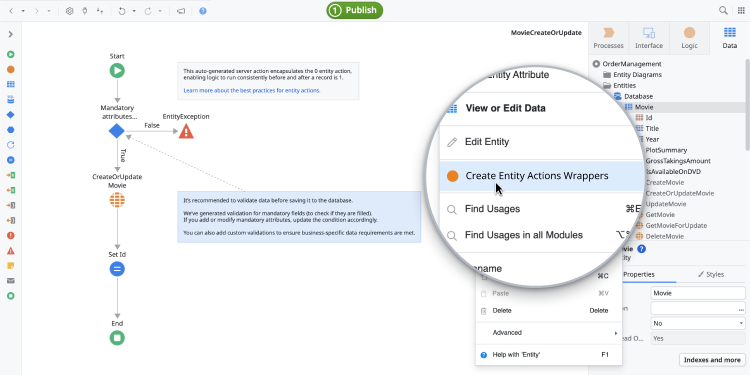
OutSystems continues to simplify and accelerate app development, introducing the Entity Actions Wrappers Accelerator. Inspired by one of the most popular community ideas, this new feature automates the encapsulation of entity actions into Server Actions, reducing the manual effort required to follow best practices for maintainability, security, and testing. CRUD wrappers are a widely recommended practice for OutSystems development, but creating them can be time-consuming, even with low-code. With this update, ensuring consistent database operations across applications has become faster and more efficient. The Entity Actions Wrappers Accelerator is now available in both Service Studio and ODC Studio.
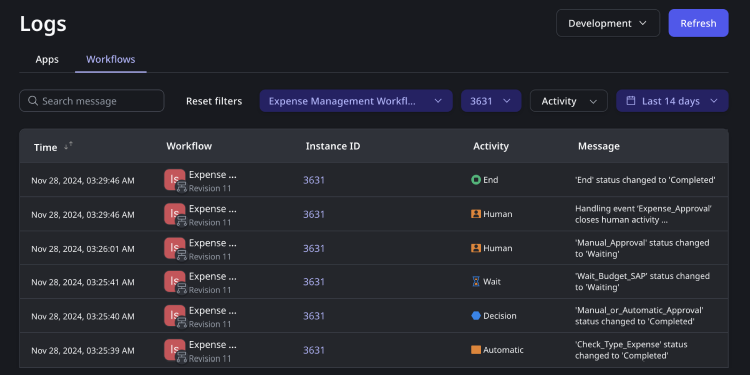
We’ve added new monitoring and analytics features to ODC Workflows. Users can dive deep into workflow execution, identify potential gaps, and discover opportunities for improvement, all while deriving valuable insights. A new dedicated tab for Workflows is now available in ODC logs, where users can search, analyze, and monitor activity information such as status changes, assignments, duration, and errors.
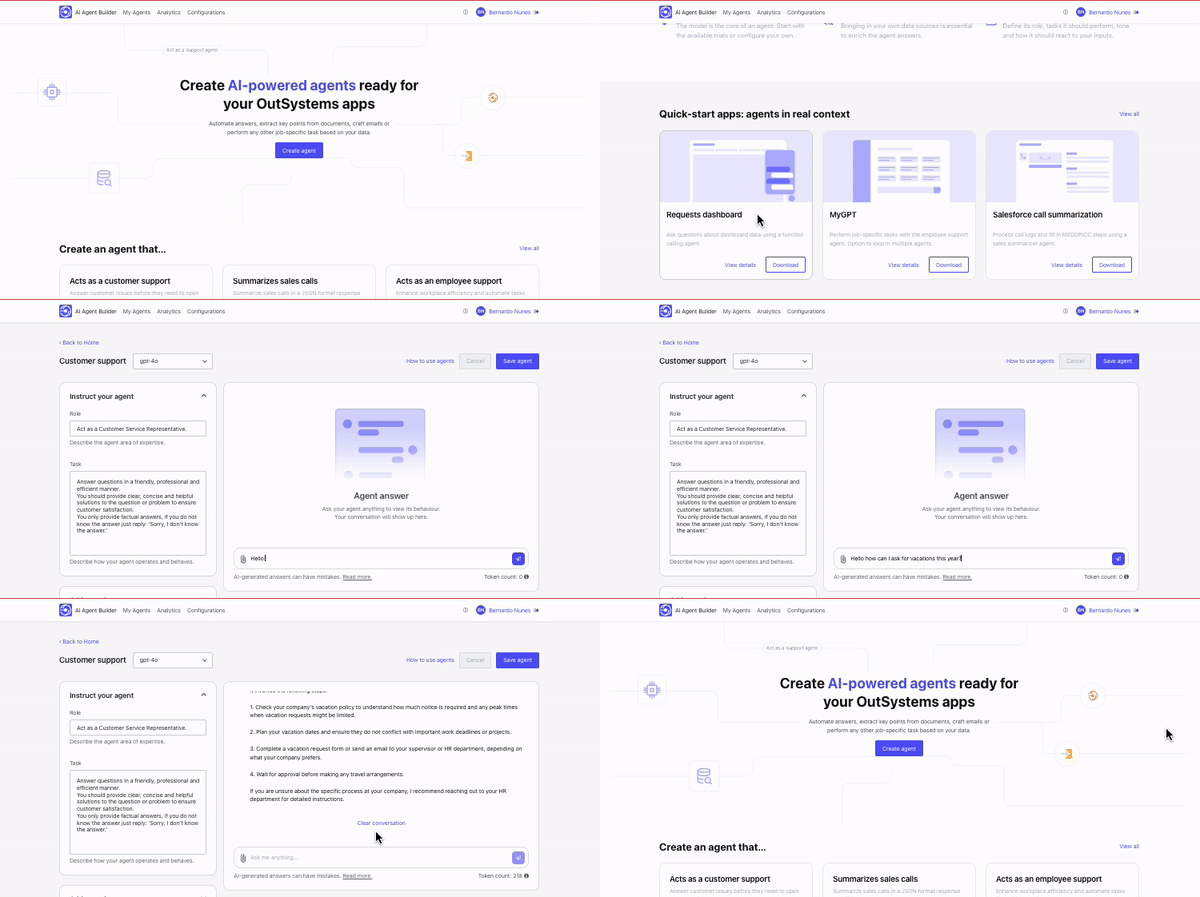
The latest release of AI Agent Builder now empowers users to integrate multiple data sources or files into their AI agents, enhancing the depth and relevance of AI-generated responses. This advancement enables the incorporation of diverse data repositories, such as Azure AI Search and Amazon Kendra, as well as PDF, TXT & VTT file into AI-powered applications. For example, a customer service agent can now retrieve product details from a knowledge base while also referencing troubleshooting guides stored in PDF files, ensuring more holistic support. This provides: Context-rich answers by combining information from multiple sources. Improved user satisfaction, as the agent delivers tailored and accurate responses. Deeper insights, enabling users to access knowledge aggregated from various domains. This update solidifies the AI Agent Builder as a flexible, robust tool for developing intelligent, data-driven applications across industries. Its ability to unify diverse data sources ensures organizations can create AI agents that are more customized, efficient, and powerful.
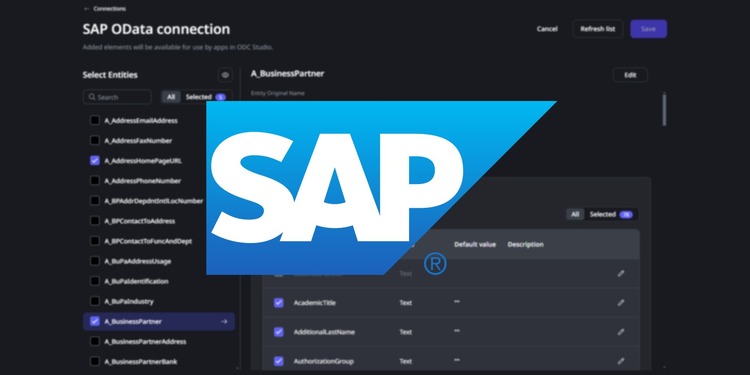
Exciting news! Write operations for SAP OData connector are here! After the General Availability of the SAP OData connector on March 24, OutSystems now updates it with write operations. In ODC Studio, write operations can be performed through entity actions for simple tasks, or through server actions when working across multiple entities. All write operations adhere to SAP business rules to ensure compliance and consistency.
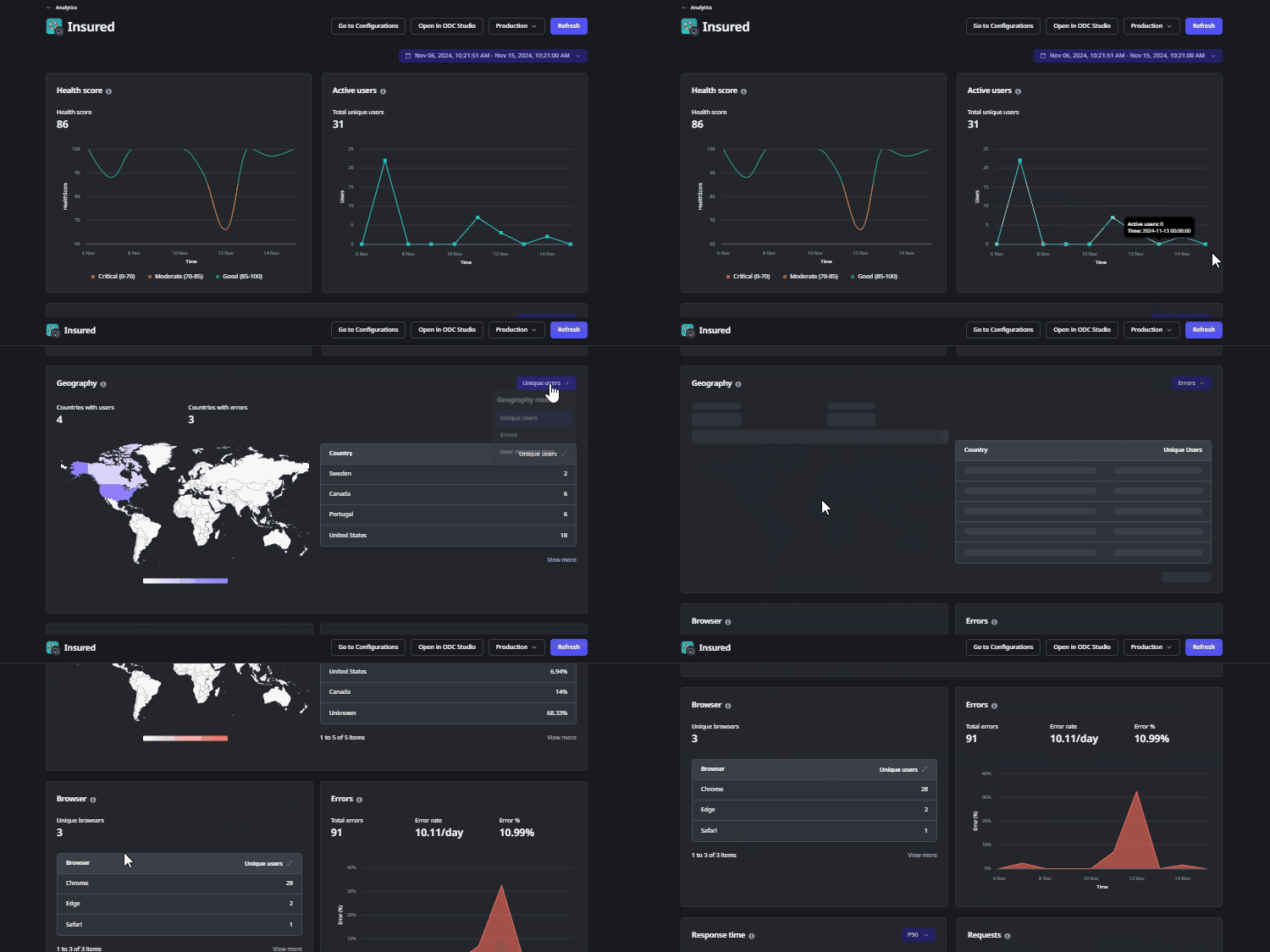
Gaining insights into user behavior is essential for refining your app and delivering an exceptional user experience. We’re excited to announce new user experience data in the Analytics tab on the ODC Portal. This update enriches performance data with detailed user insights and adoption metrics, empowering developers to diagnose issues faster and gain a deeper understanding of app usage. With these new insights, you can now see exactly how users are impacted by performance issues or errors, which is particularly beneficial for complex, multi-region applications where rapid troubleshooting is crucial. Now, the Analytics dashboard features near-real-time data on active users, enabling you to track usage patterns, response times, and error rates across global geolocations. Additionally, browser analytics reveal how users access your application, providing valuable insights into usage and adoption preferences.
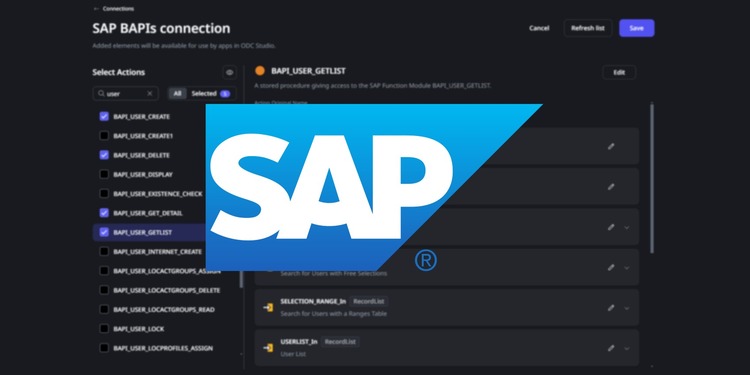
Data Fabric’s library of pre-built connectors gets an exciting new addition: SAP BAPI. Following the SAP OData connector, this new addition further enhances integration with SAP products. The Business Application Programming Interface (BAPI) is a standard SAP API designed to seamlessly connect non-SAP applications with SAP business processes, allowing for data entry directly into the SAP system. Getting started is easy: In ODC Portal, create your SAP BAPI connection and select the specific BAPIs relevant to your use case. In ODC Studio, incorporate BAPI server actions into your logic to develop apps that integrate with SAP. This connector opens up new possibilities to extend your existing data creating powerful new experiences.
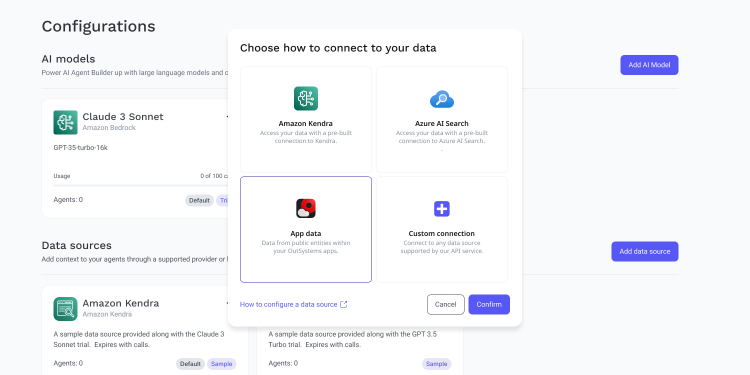
The latest release of AI Agent Builder provides real-time access to public entities within your OutSystems applications to serve as additional context for your Agents. This richer context allows Agents to deliver more accurate responses. With this new feature, you can unlock a host of innovative GenAI use cases, including: Customer Support Agent with Live Order Tracking: Empower your support team with an Agent that can instantly access real-time order statuses. Whether it’s tracking shipments or managing returns, your customers will receive immediate, up-to-date information, boosting satisfaction and reducing response times. Data Insights with Natural Language Queries: Transform the way your teams interact with data. Build an Agent that taps into your company’s sales data, enabling users to ask questions like, "What were my total sales for the last quarter?" or "Which product had the highest growth?" — all through simple, natural language queries. This is just the beginning of what’s possible with this latest feature. Try it today and discover how it can transform your business.
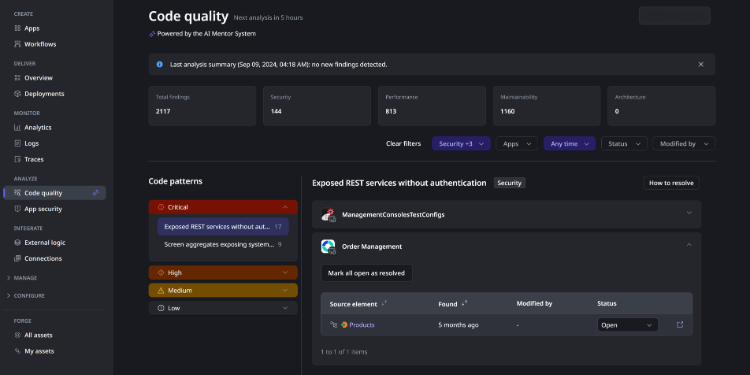
AI Mentor System (AIMS) is a suite of AI-based development and code analysis tools, that are like having a team of experts on call to enhance the collective expertise of development teams. The AI Mentor System is like having a virtual senior software engineer guiding you through every stage of the software development life cycle, ensuring that OutSystems applications are consistently built and maintained to the highest standards of quality. With its ability to perform continuous code analysis and offer real-time insights, the AI Mentor System streamlines workflows, enforces best practices, and improves developer productivity. With the release of AIMS for ODC, developers gain access to a new Code Quality console in the ODC Portal. This console highlights the findings from the AI Mentor System, which automatically runs comprehensive code reviews every twelve hours to detect issues such as unused code and other problematic patterns. Leveraging advanced AI algorithms, AIMS performs in-depth code analysis across key dimensions— maintainability, security, and performance: Maintainability Mentor: Identifies inefficiencies to reduce technical debt and improve long-term maintainability. Performance Mentor: Ensures applications are optimized to deliver peak performance, minimizing bottlenecks and inefficiencies. Security Mentor: Flags potential security vulnerabilities in your code, helping you mitigate risks before they become issues By providing actionable insights through the Code Quality console, AIMS ensures that your OutSystems applications are not only robust but also scalable, secure, and maintainable over time.
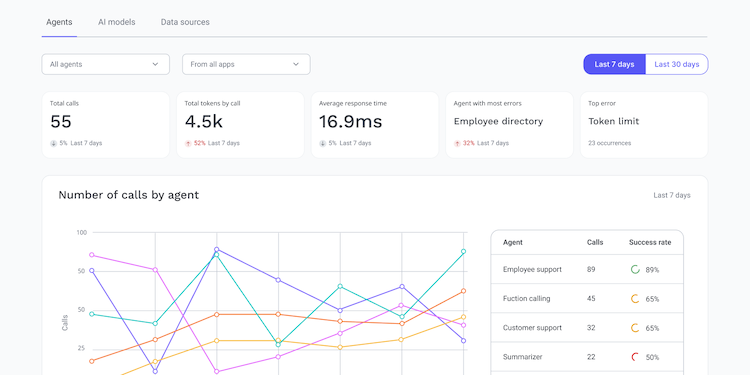
The latest version of AI Agent Builder introduces several powerful capabilities: High availability for agents: This feature enables high availability for AI agents by allowing you to configure multiple deployments or resources for an AI model, effectively distributing the load between them. Analytics: Allows admins to monitor the performance, token usage, and request volume of AI agents. Custom AI models: Developers can integrate any large language model not natively supported by AI Agent Builder. Custom data sources: Developers can integrate a data source not natively supported by AI Agent Builder Advanced CallAgent service actions: Developers can create more customized use cases using new advanced service actions for calling an agent or interacting with a data source.
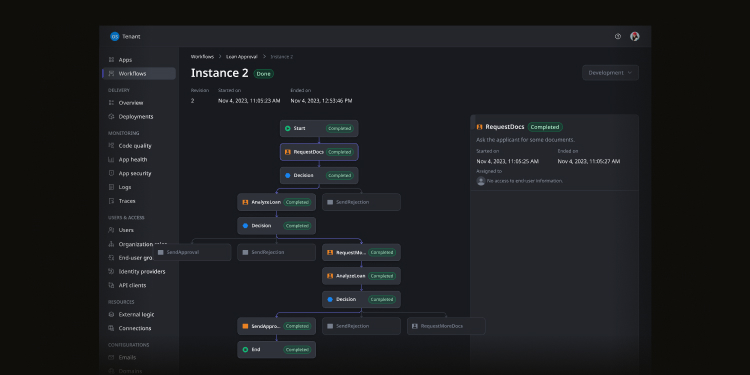
We're excited to announce the general availability of Workflows, a business process modeling and workflow automation tool that empowers business users to automate complex processes, significantly alleviating IT workload. Integrated with our low-code platform, it supports cloud-native workflow-based apps with unmatched flexibility and scalability provided by its underlying event-driven architecture. Plus, with broad customization options, you can easily create fully branded apps without the sluggish look of typical workflow automation tools.
To reinforce your apps' security, ODC can now automatically patch all runtime vulnerabilities, regardless of their severity. Whether you choose to patch apps using our 1CP process or not, the platform will automatically handle this for you and ensure your running apps remain secure without any downtime.
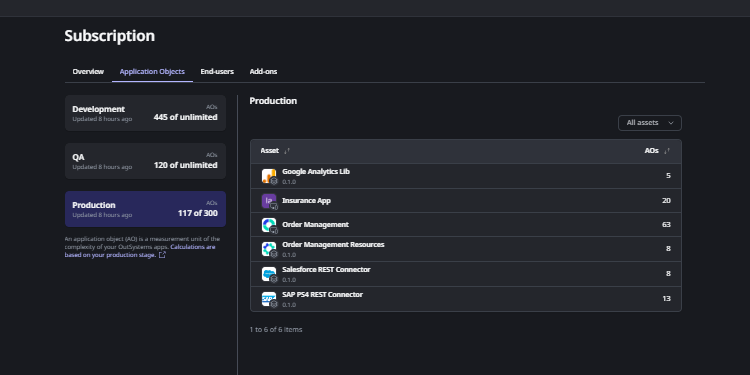
We're excited to announce that managing Application Object (AO) usage is easier than ever! As a part of your ODC subscription, you now have access to insights into how many AOs each of your apps and libraries use at every stage. With this update, you can: View the total number of AOs available in your Subscription area Monitor which applications and libraries are consuming AOs Make data-driven decisions to optimize your software factory performance
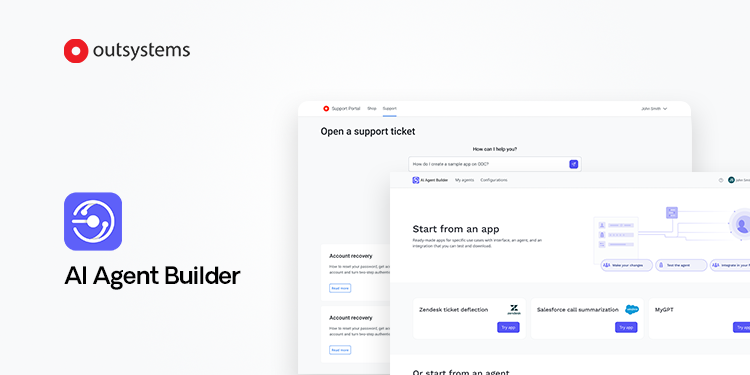
Build your first AI agent today! To kickstart your journey, AI Agent Builder now offers free, limited trials of Azure OpenAI and Amazon Bedrock models. The latest release of AI Agent Builder also introduces integrations with two cutting-edge AI models on Amazon Bedrock: Claude 3 Sonnet and Claude 3 Haiku. Our product team eagerly awaits your feedback; please share your experience directly within the tool with the new feedback button. We can't wait to hear from you!
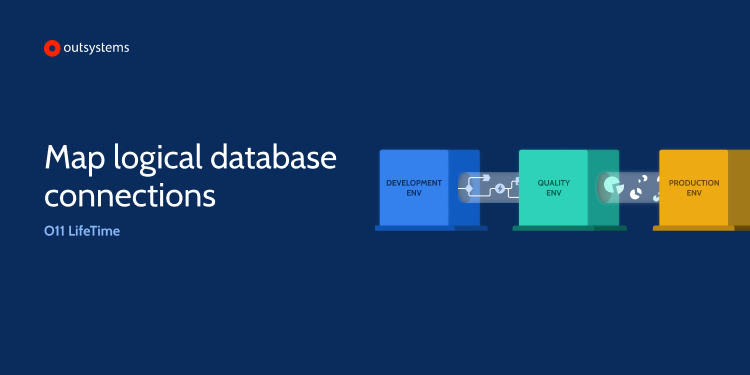
Automate your deployment processes further with O11's API-based CI/CD capabilities. Enhancements to the API now enable teams to configure the mapping between the logical database of extensions and the actual database connection for applications that integrate with external databases.
OutSystems stands alone as the only High-Performance Low Code platform offering the capability to inspect application source code using their preferred static code analysis tools. With O11, organizations can now effortlessly extract the source code for both their web and mobile applications via an API. This facilitates automated integration with static code analysis tools and streamlines the inclusion of security checks within the CI/CD pipeline.
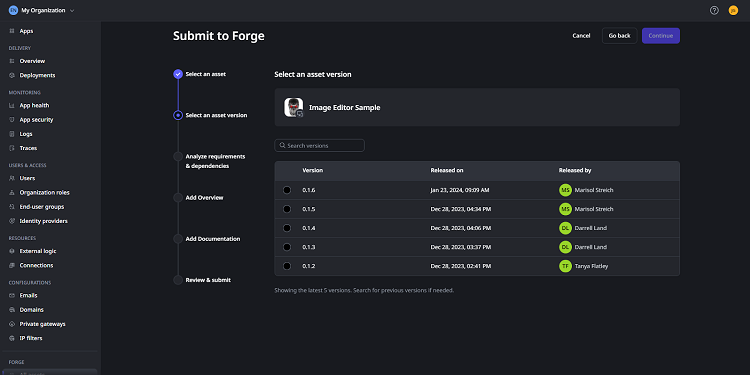
A new and improved process for submitting Forge components is now available in ODC. You can now select the exact version of the asset you'd prefer to submit to Forge with zero impact on internal release cycles inside your organization. Try it out today to ensure more control over how, and when, you share your assets in Forge.
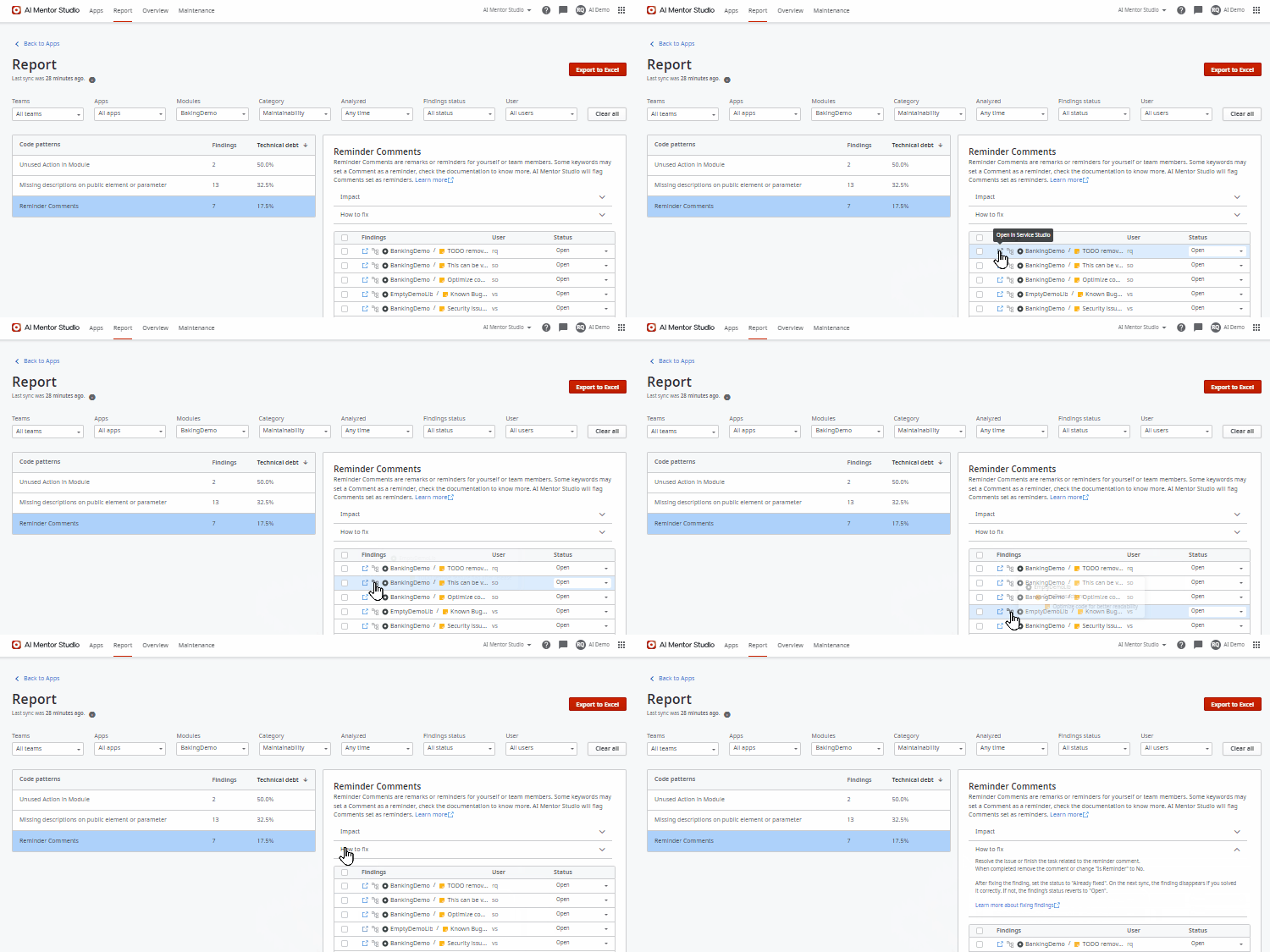
Say hello to enhanced productivity and goodbye to missed to-dos and hidden technical debt with the latest code pattern, "Reminder Comments", for the AI Maintainability Mentor. By flagging comments as "Is Reminder" in Service Studio, you can highlight areas of potential technical debt or unfinished work. These identified points are effortlessly manageable through AI Mentor Studio, empowering you to adhere to coding best practices seamlessly.
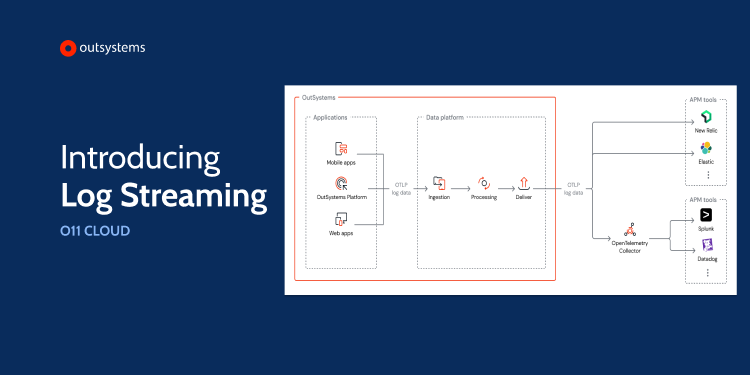
With the new log streaming add-on, you can automatically send your app log data to a third-party monitoring tool in near real-time. This powerful, cutting-edge solution stands at the forefront of application performance monitoring (APM), leveraging standardized data through OpenTelemetry. It centralizes performance monitoring efforts, enhances OutSystems app availability, and facilitates proactive troubleshooting.
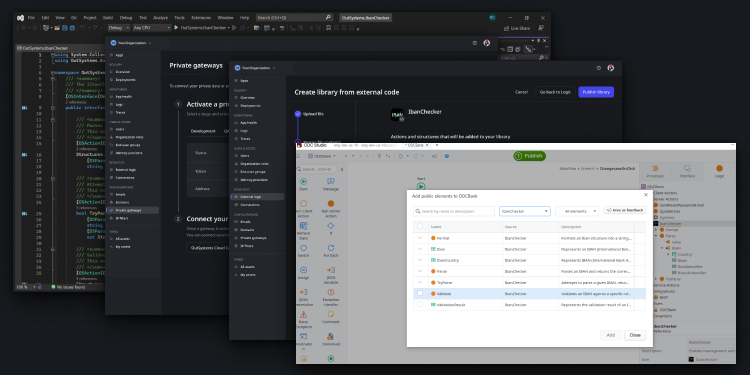
You can now securely extend your apps to access private resources using custom code and private gateways. When using custom code that requires access to private data, most of the work is already taken care of for you. Simply create your code in a traditional coding IDE and reference the private gateway when accessing your endpoints.
To reinforce the security of your apps, ODC is constantly running static code analysis tools to find vulnerabilities and weak security practices. When a patch for a critical vulnerability is available that directly impacts runtime applications, ODC will trigger an automatic notification and upgrade process for all affected apps in each stage to ensure that your apps remain secure with minimal disruption.
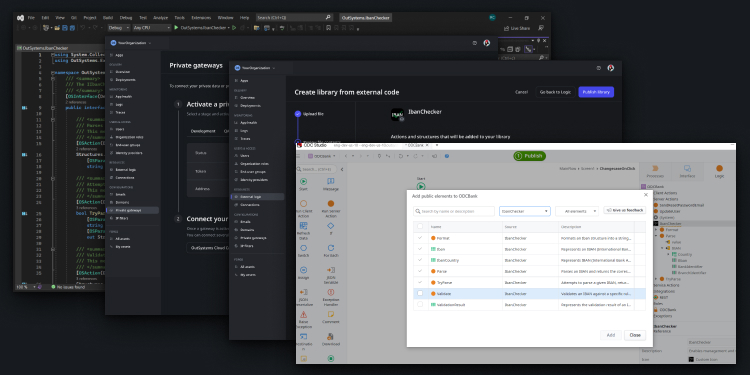
You can now securely extend your apps to access private resources using custom code and private gateways. When using custom code that requires access to private data, most of the work is already taken care of for you. Simply create your code in a traditional coding IDE and reference the private gateway when accessing your endpoints.
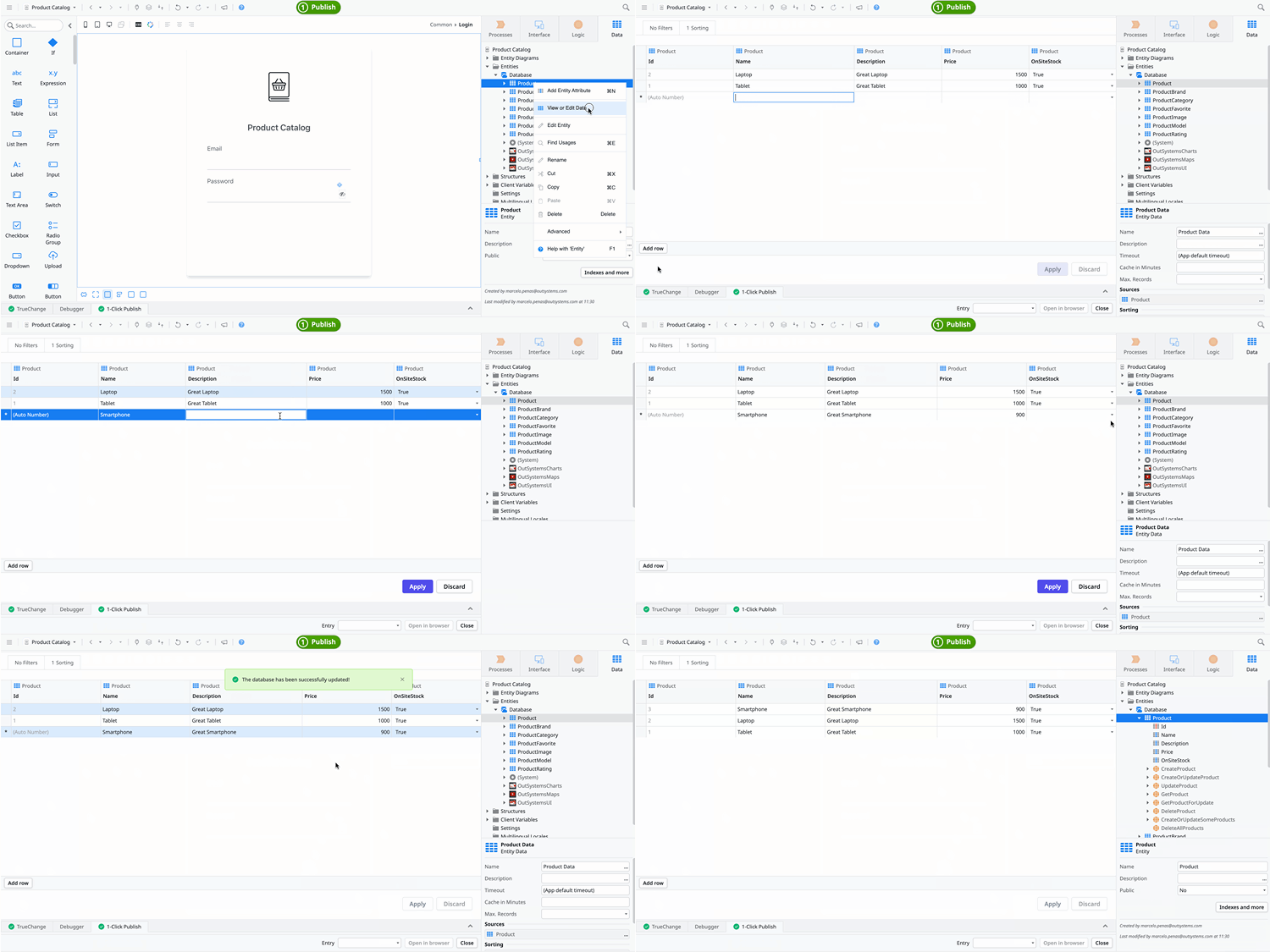
You can now define meaningful test data in ODC without needing to publish your app, significantly boosting your productivity while testing and guaranteeing the quality of your user story development. Set up your demos with the right data and obtain valuable feedback from stakeholders, increasing efficiency and accelerating your development cycle.
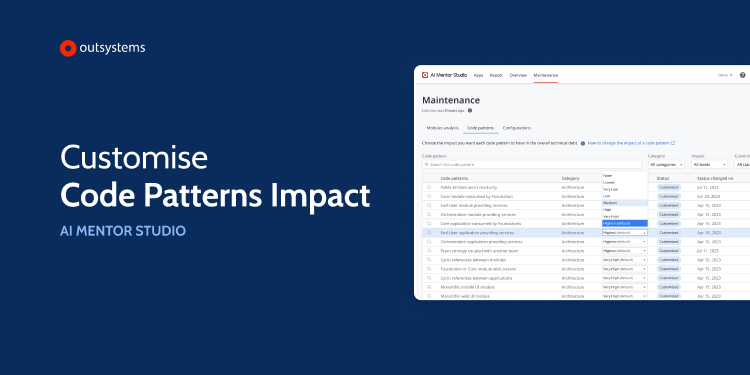
Each IT organization may have different needs regarding how specific patterns contribute to their teams' technical debt, depending on maturity, processes, and code quality concerns. With this new feature of AI Mentor Studio you can adjust the code pattern weight to better fit your context — from default to very high or no impact on the technical debt. You can check all the code patterns impact options in the AI Mentor Studio maintenance tab.
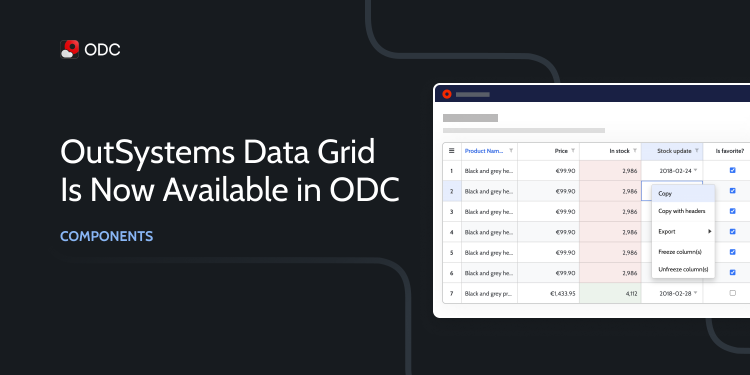
Discover the capabilities of the OutSystems Data Grid, a powerful component designed to create exceptional spreadsheet interfaces, now available in ODC Forge. Harness the potential of its versatile column blocks, granting you precise control over data types, and customize your experience by defining advanced configurations in low-code.
Unlock the full potential of generative AI by embedding ChatGPT in your app in minutes with the new Azure OpenAI Connector, now available on OutSystems Forge. This Azure service makes AI part of the development process to improve user experience and adds security and compliance on top of the generic OpenAI service. As a result, you can provide personalized recommendations based on customer preferences, behavior, and historical data. Or you can power virtual assistants that interact with users through natural language processing and summarize complex documentation for them.
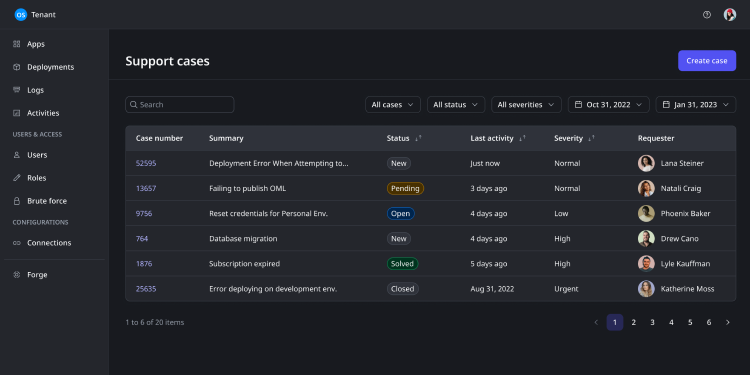
ODC support is better than ever. You can now select your organization's default time zone to get seamless follow-up from our support team. Managing contacts in support cases is also available, giving you complete control over who receives email updates of existing support cases. You can also include instructions in the body description for more complex issues to help us replicate the steps and troubleshoot. It is also possible to specify which apps are impacted, helping us quickly identify the problem's scope. Lastly, you can add attachments in the message body, making communicating with us more accessible by sharing relevant files and screenshots.
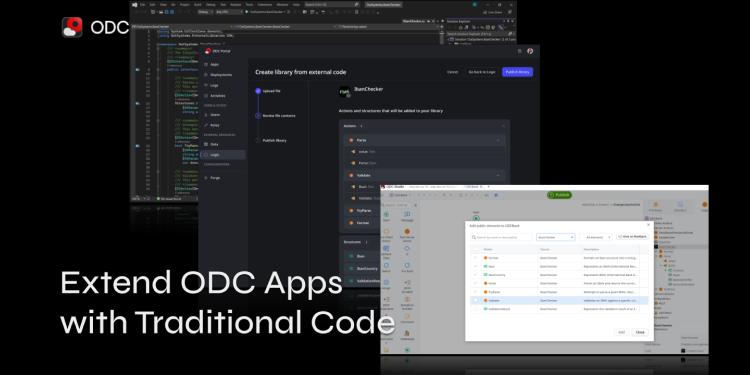
Develop your ODC app without ever hitting a wall by wrapping up existing traditional code solutions in low code. Simply create your code in a traditional coding IDE, upload and publish it in ODC Portal, and it's ready to be added as a public element in your app! We’ll take care of the rest, by leveraging Serverless Computing, running your code in an independent, secure, dedicated environment that will automatically scale as needed.
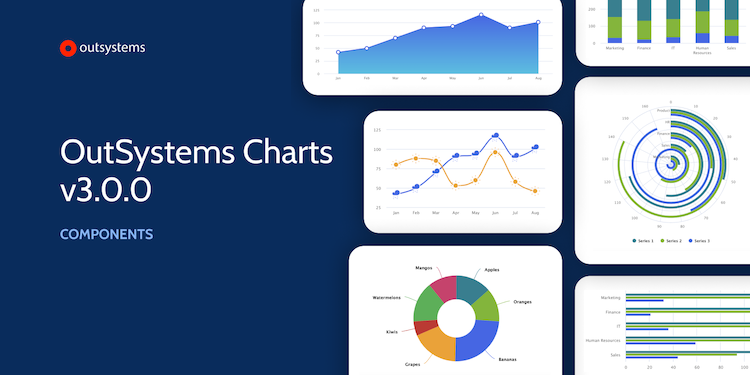
This version introduces new chart types and a redesigned developer experience that includes more options to customize chart elements without using high-code. To make things even easier, you can try the new sample with working examples and check the step-by-step guide, which will help you understand how to get the most out of the new OutSystems Charts.
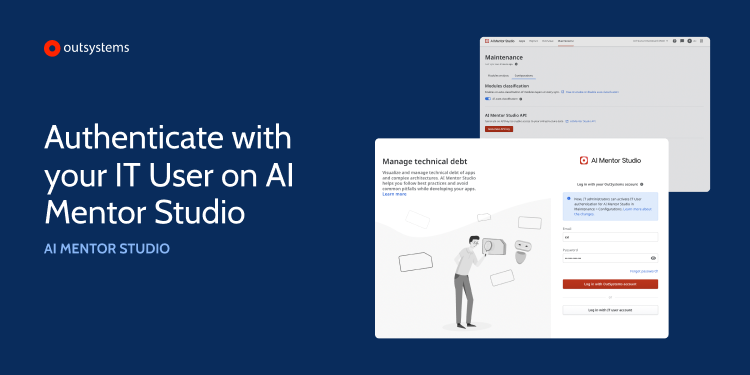
AI Mentor Studio now supports IT user authentication. This new capability allows you to add an extra security layer and have additional control over who can access AI Mentor Studio. It also allows you to set authentication against the federated identity server if you have an external IdP configured for IT users. Security access is the first line of defense, ensuring that only users you trust log in to your OutSystems platform and consoles.
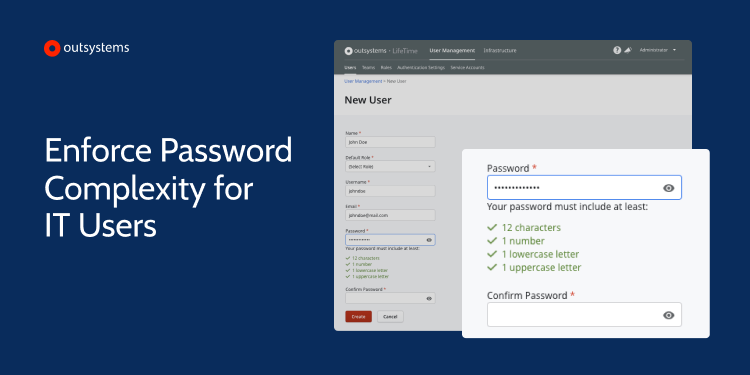
Security is a hot topic nowadays. With that in mind, we continue to enhance the platform with improvements that mitigate security risks. This time we have enforced the need for complex passwords in IT user accounts that log in with a username and password. So the next time you need to change your IT user password, you'll need to create a strong one. Changing the current password isn’t mandatory, but we highly recommend all IT users do it. Available starting from LifeTime version 11.17.0.
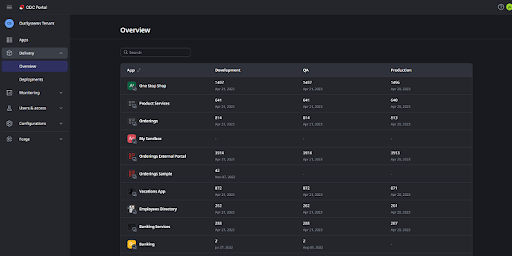
Reduce the lead time of changes and the troubleshooting time with the new app versions and stages overview. You can quickly identify where your app versions are staged in the delivery cycle and use that information to make faster decisions, especially in troubleshooting scenarios, or just to understand if a new app version is available for testing.
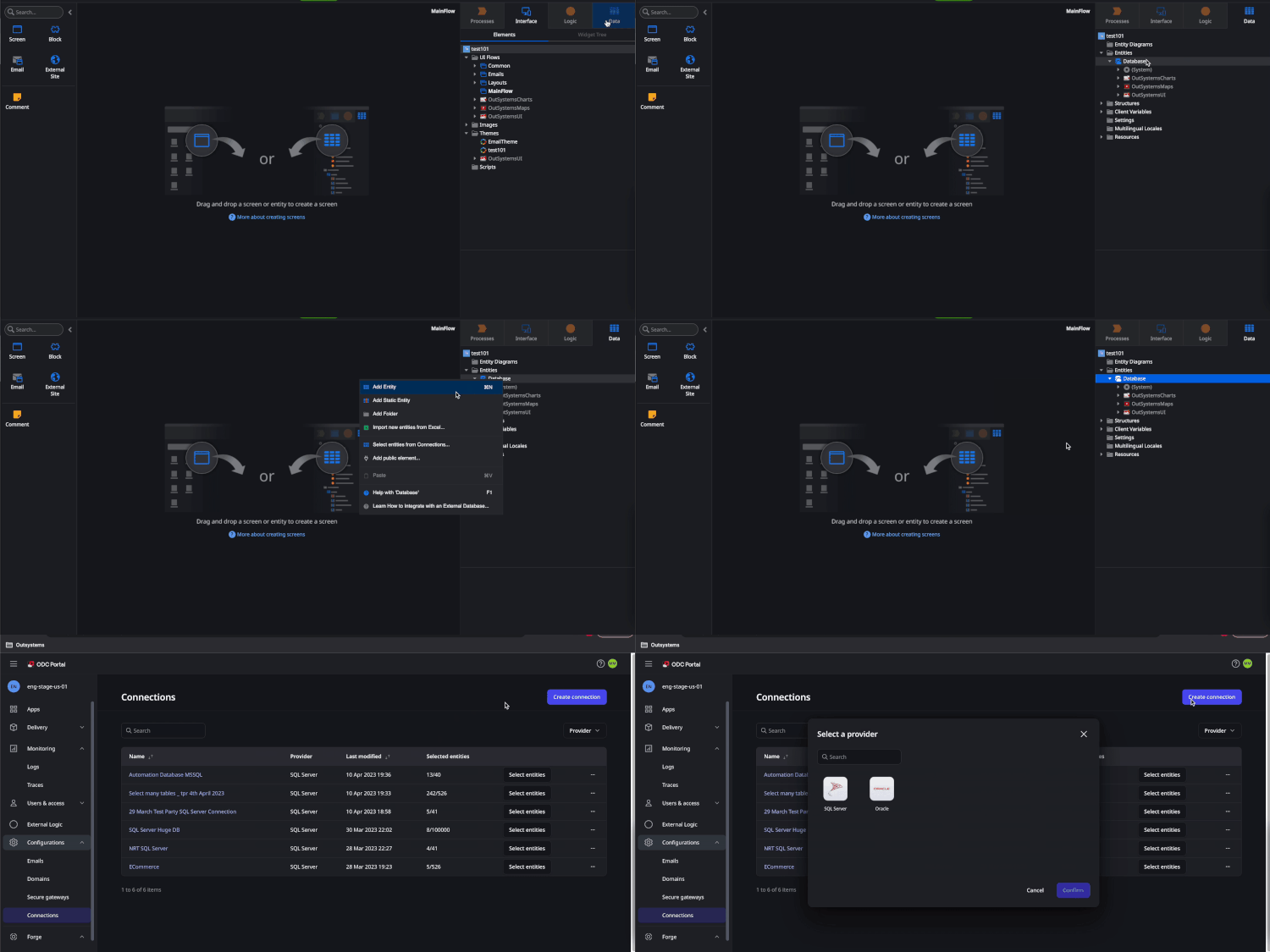
Integrating with Microsoft SQL Server and Oracle DBS is easier than ever. All the heavy lifting is taken care of — you just need to create your connection in ODC Portal, select the required entities and attributes, and it's ready to be consumed in ODC Studio like any other entity, while keeping the app secure and scalable. More providers will be supported soon, so stay tuned!
We're pleased to announce that OutSystems Developer Cloud (ODC) is now available in Tokyo. This new region will allow you to build and deploy apps with reduced latency while supporting data residency needs in Japan. Tokyo joins the already available regions of North Virginia, Frankfurt, and Singapore, with more coming online soon.
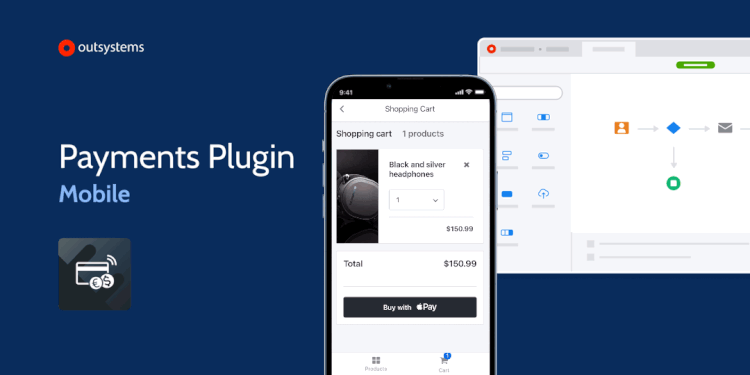
Add a comprehensive payment solution to your mobile apps and allow customers to buy with Apple and Google Pay. Our Payments plugin now integrates with Stripe, one of the world’s leading payment gateways, in addition to the Apple Pay and Google Pay wallets. Our intuitive integration process will guide you through the steps required to set up and configure Stripe on your OutSystems mobile app, so you can start accepting payments right away.
The OutSystems UI GitHub repository is now available to the public, opening the door to community contributions, feedback, and collaboration. Whether you want to fix a bug, suggest a feature, or enhance existing code, we welcome your contributions to help us improve and build the future of our UI framework. Also, we released an NPM package that you can use as a dev dependency to your repositories and to extend our components' functionalities to suit your specific needs.
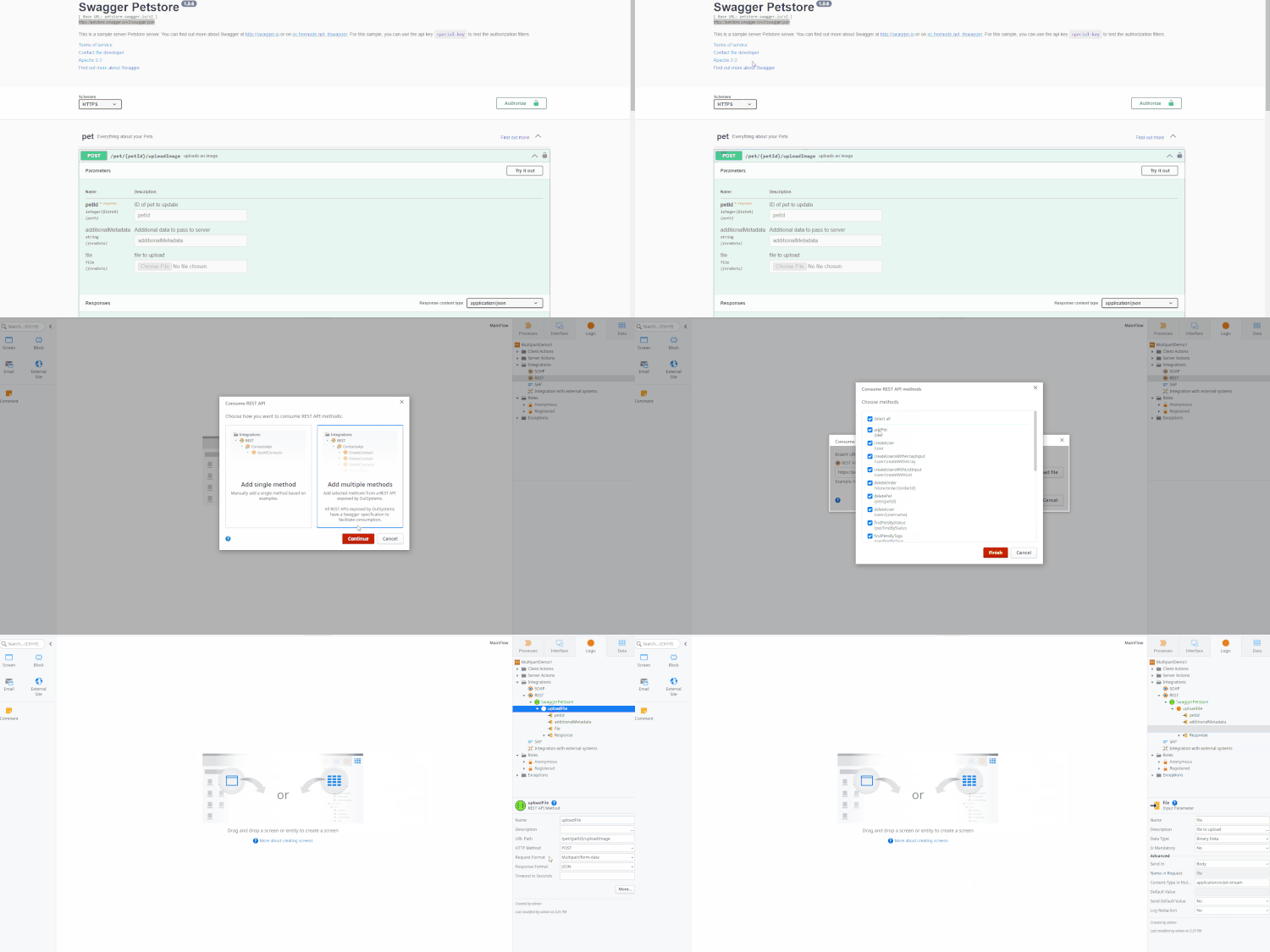
The method multipart/form-data is now available when consuming REST API. You typically use these requests for file uploads and for transferring data of several types in a single request (for example, a file along with a JSON object). Multipart requests combine one or more sets of data into a single body, separated by boundaries, where each form field has its section in the payload with internal HTTP headers.
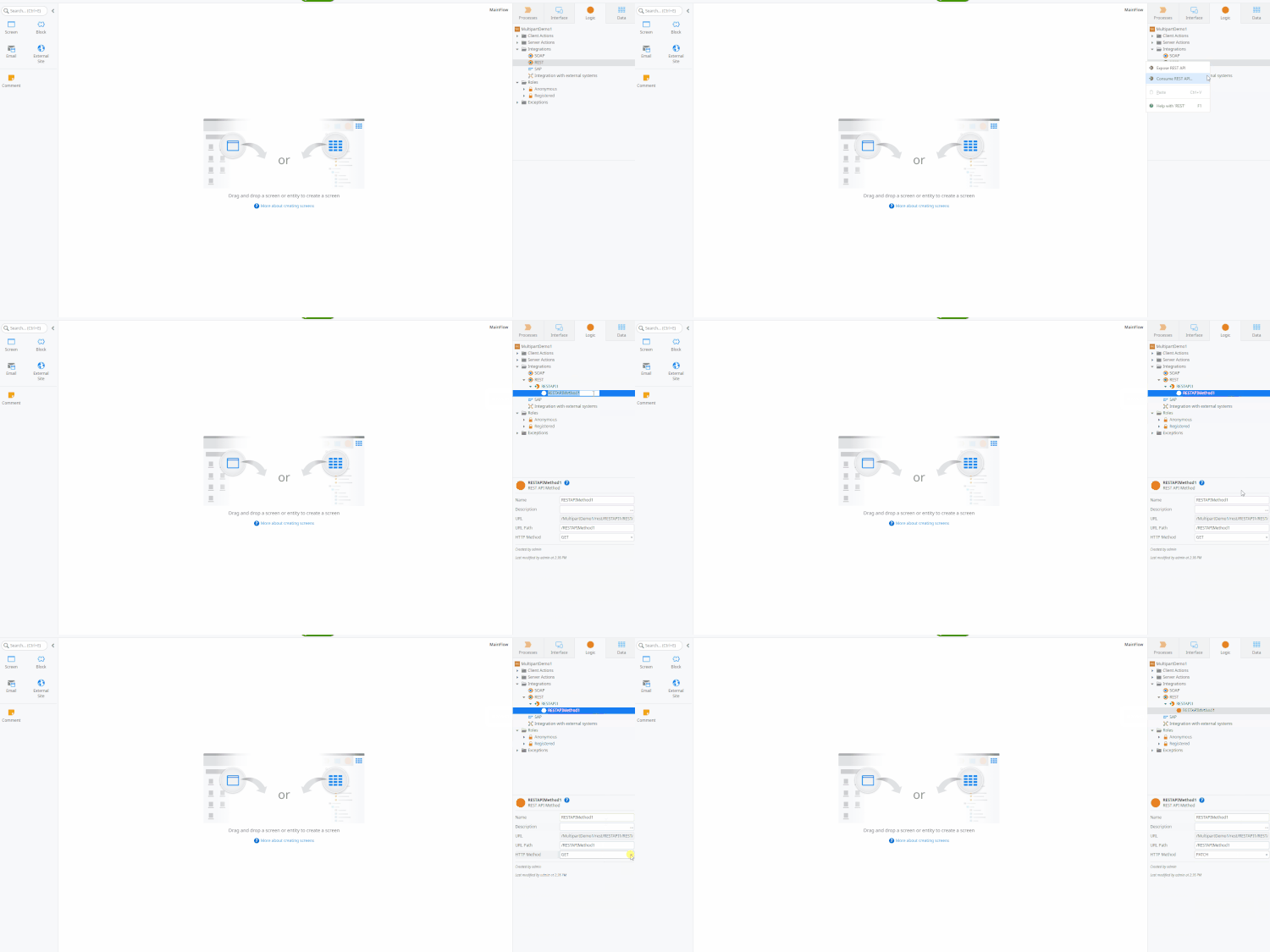
You can now expose OutSystems REST services as a patch method. With this latest release, we're covering all of the most common methods on the REST protocol: Patch, Get, Put, Post, and Delete.
It is now possible to deploy all prepared modules at once after the Platform Server finishes upgrading. The Deploy All is another improvement from the Flexible Upgrades initiative that aims to reduce publish time and improve resilience during a platform upgrade, with the ability to resume development even before the preparation step finishes. To have your factory fully updated after each upgrade, you no longer need to do a solution publish or deploy one by one until the factory is fully published; use the new Deploy All functionality. The platform takes care of all required publishes, and you'll save a lot of time.
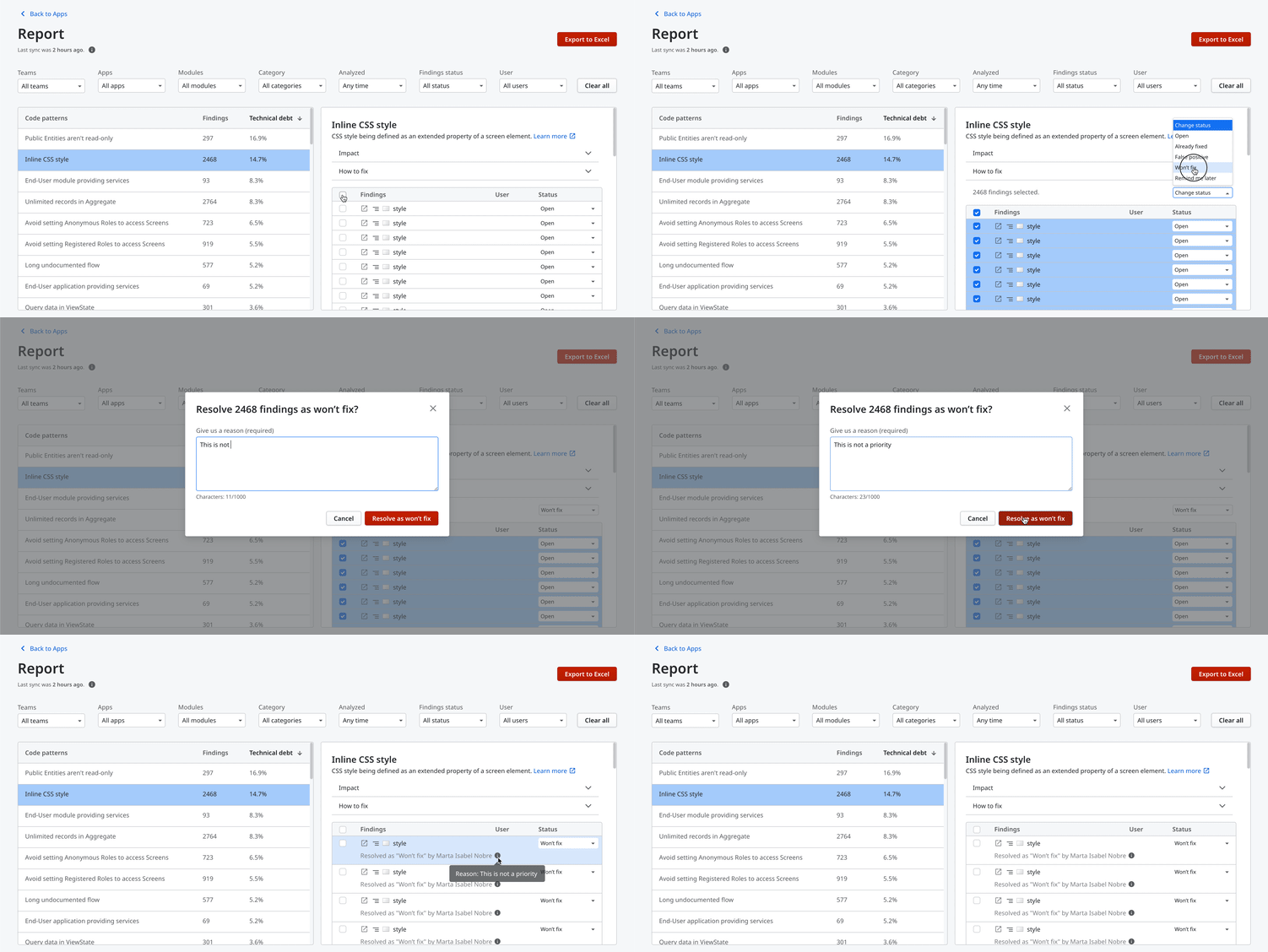
Managing technical debt can become tedious with many findings if you have to update their status by selecting them individually. To speed up and ease the process, we’ve launched the bulk selection in the Report area of AI Mentor Studio, and you can now change the status of several findings at the same time. All previous functionalities remain the same, such as adding a reason to resolve as won't fix or as a false positive status. Make your teams ten times more productive going through the list of findings, ensuring that the spare time can be wisely used for other activities.
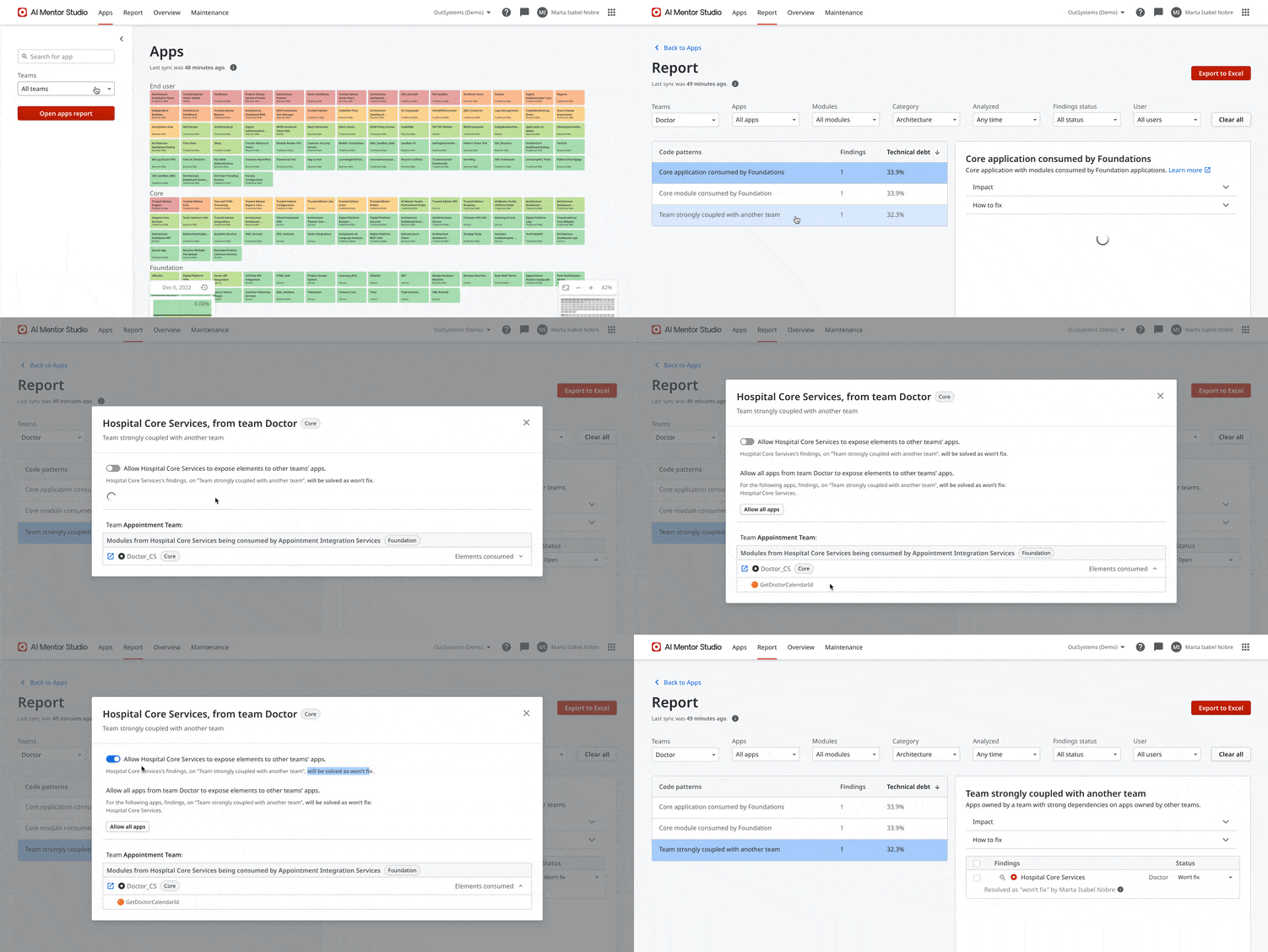
If you follow a domain-driven architecture approach, you can now take advantage of the most recent Architecture Mentor pattern, strong dependencies between apps owned by different LifeTime teams, available in AI Mentor Studio. One of the top architecture issues that hinders development teams' agility is having business apps strongly referencing other apps. With this visibility, architects and team leads can plan their backlogs to do the necessary refactoring to bring back the apps independent lifecycle. Also, it increases team agility by not having to align release cycles with other teams — promoting to production as soon as the work is complete.
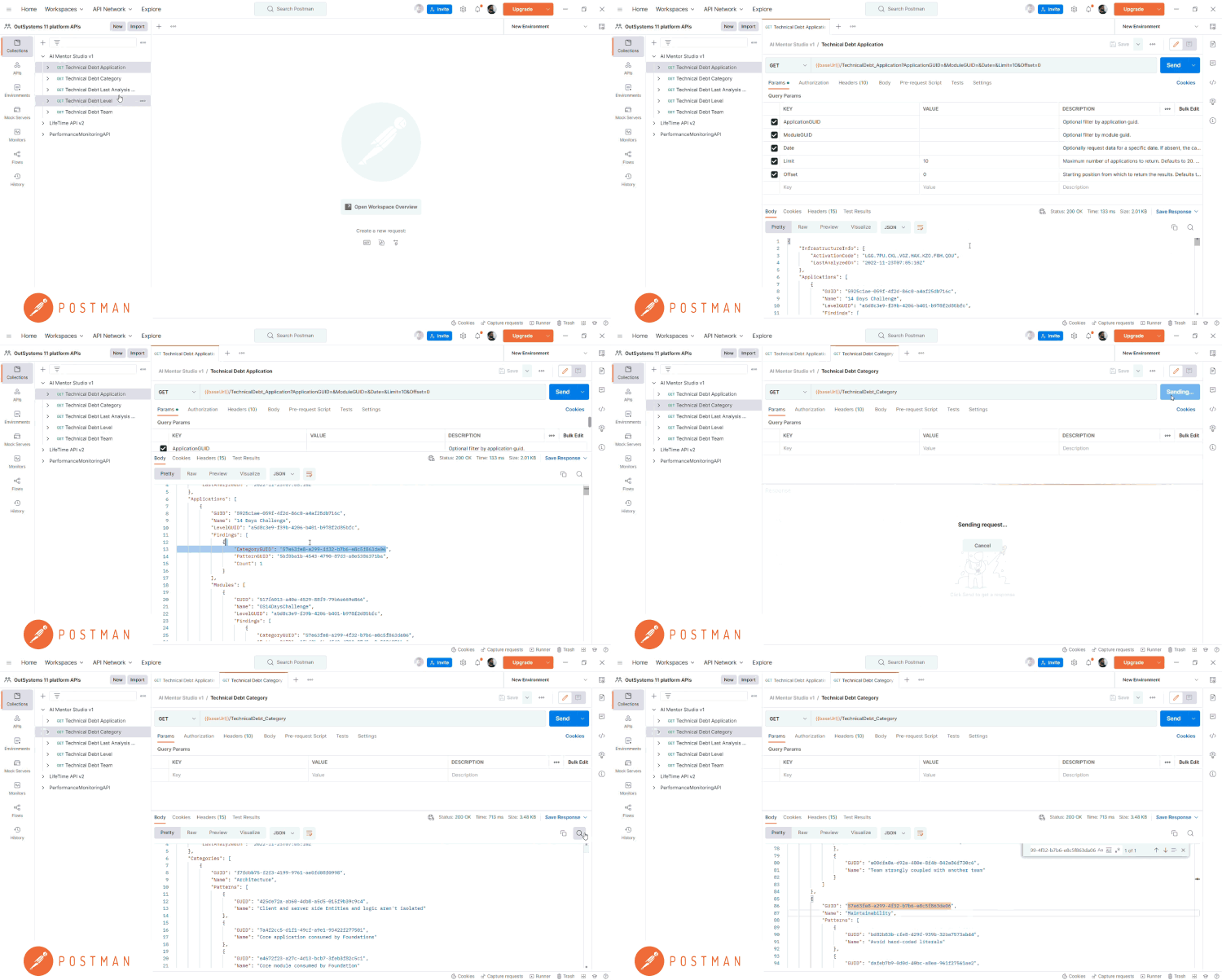
You can now find OutSystems platform APIs in Postman. Testing out AI Mentor Studio API, LifeTime API, and Performance API is easier and faster with Postman — the leading platform for building and testing APIs.
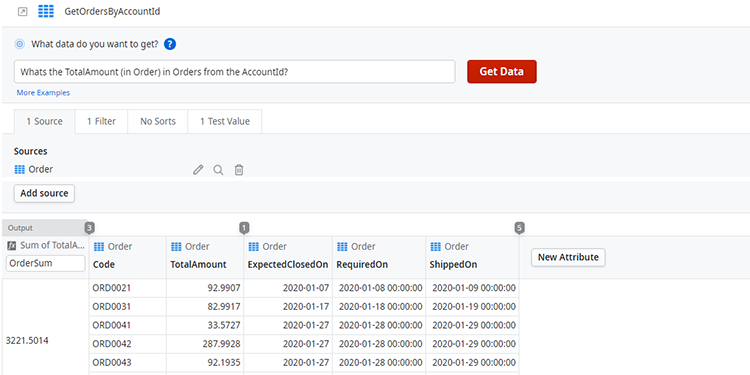
Use your everyday language to create aggregates with the new Code Mentor feature. Built into Service Studio, this AI-powered capability is especially handy when you know which data you want to get from the database but are unsure how to add it to an aggregate. You can access it anytime by double-clicking on aggregates.
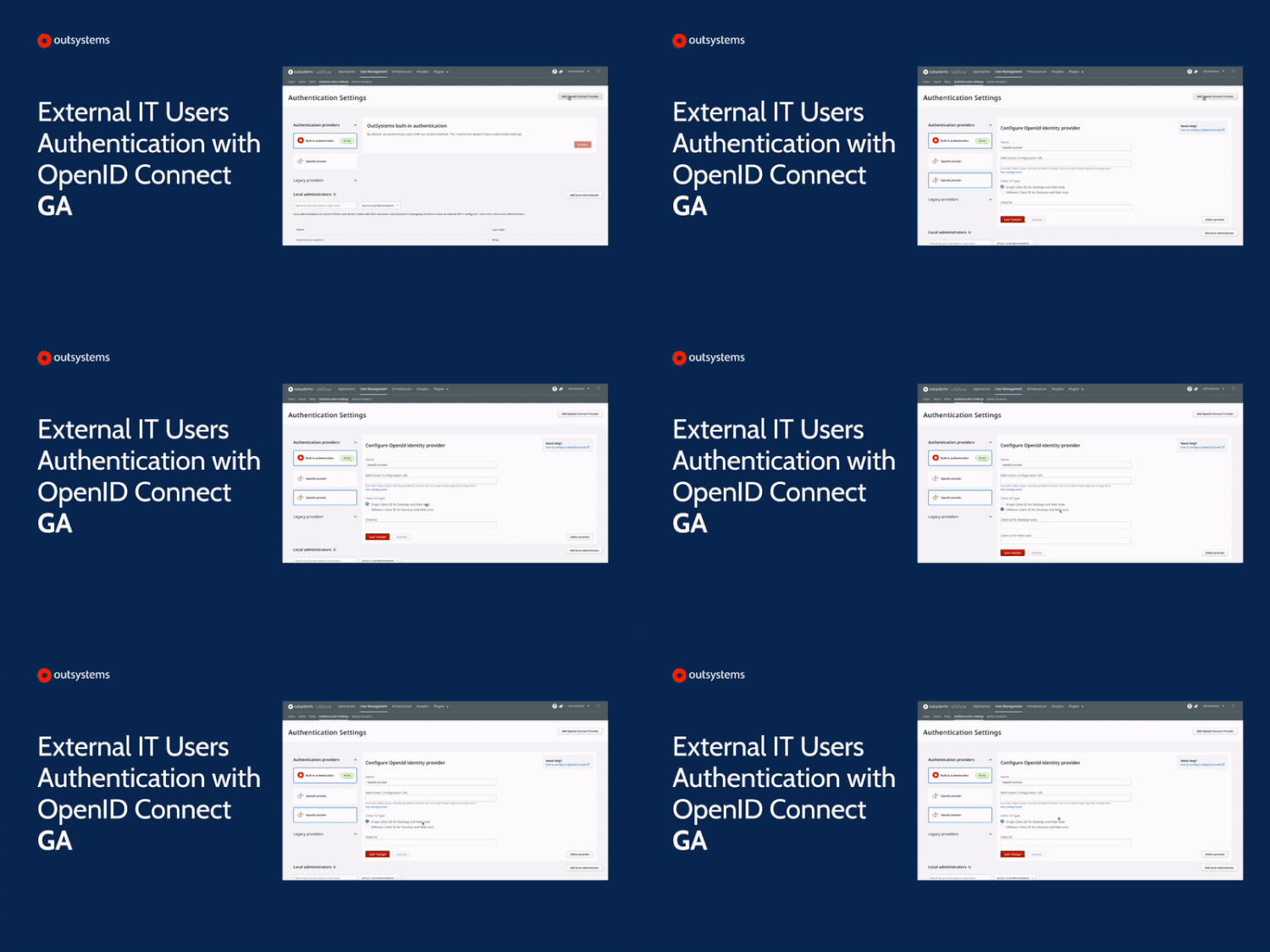
The external IT users authentication with OpenID Connect was launched in technical preview in August 2022 and is now generally available to everyone fully supported. In a few clicks, you can set an external identity provider to log in your IT users throughout the OutSystems platform, consoles, and tools (Service Studio, Service Center, LifeTime, and Integration Builder, to name a few). Easily delegate user authentication to your IdP of choice, AzureAD, Okta, or any other OpenID Connect Discovery supporting provider (OIDC). With an external IdP, you may enforce specific security policies, like MFA, password expiration, password complexity, and password rotation.
You can now publish your tailored Integration Builder connector to any other OutSystems infrastructure. This capability is available to the following providers: Salesforce, SAP OData, Dataverse, and Dynamics 365. If you have a commonly used integration, you can contribute to our global community and share that on the Forge helping other developers to be even more productive. Any connector ported to another OutSystems installation is fully customizable in the same way as it was if configured from the start.
The Architecture Dashboard was renamed to AI Mentor Studio, and it's now part of the OutSystems AI Mentor System family — an ever-evolving set of five mentors, namely Code Mentor, Architecture Mentor, Security Mentor, Performance Mentor, and Maintainability Mentor. All include AI-based development, security, and quality analysis tools that provide expert-level assistance across the most critical areas of the software development lifecycle. You'll learn more about the AI Mentor System and its capabilities at NextStep. This update does not impact your current work with the OutSystems Platform. It will only make your experience better.
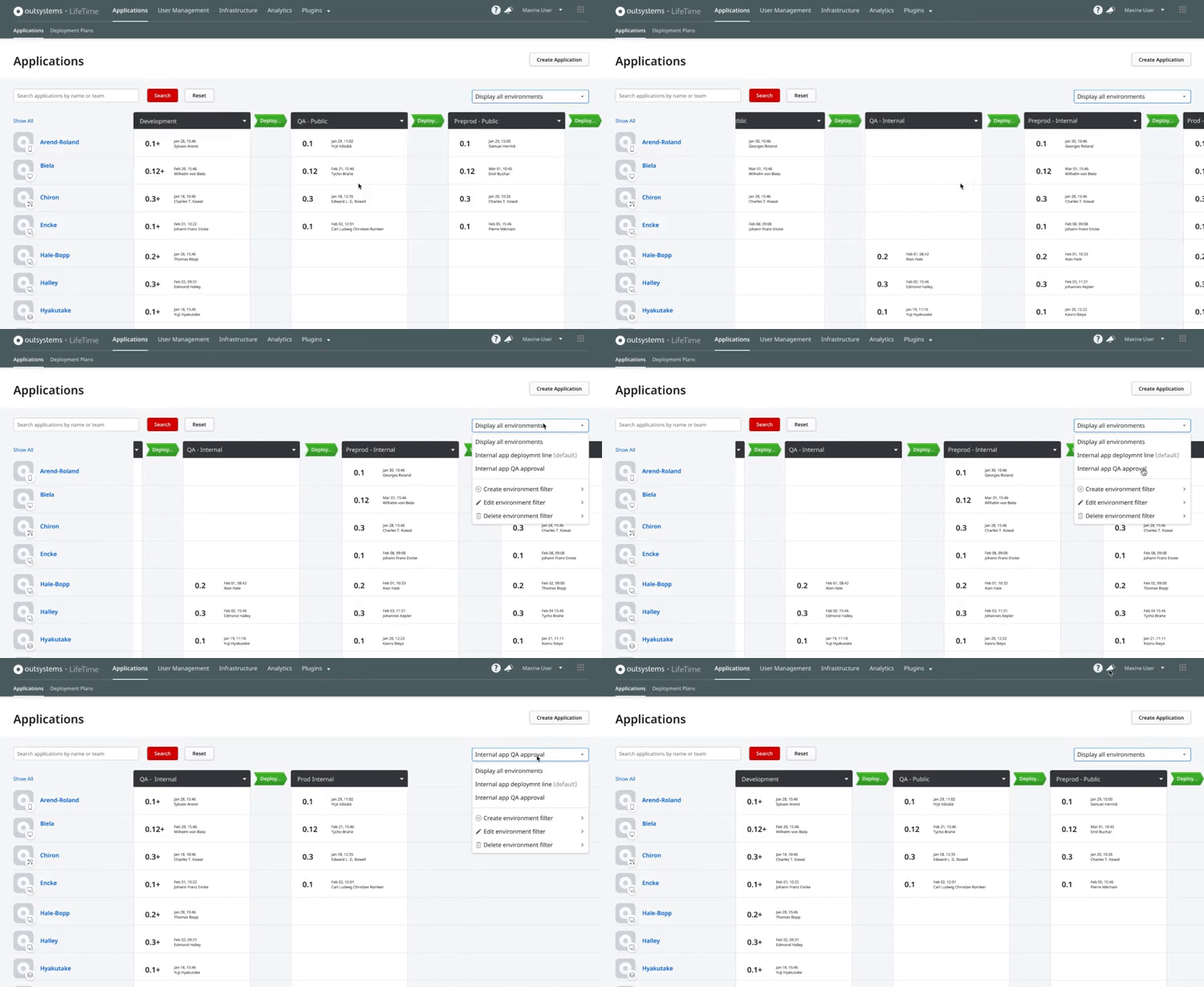
Manage multiple app portfolios with different development lines with the latest LifeTime environment filters. Create development line views tailored to your needs, ensuring all roles deploying apps have visibility over the required environments.
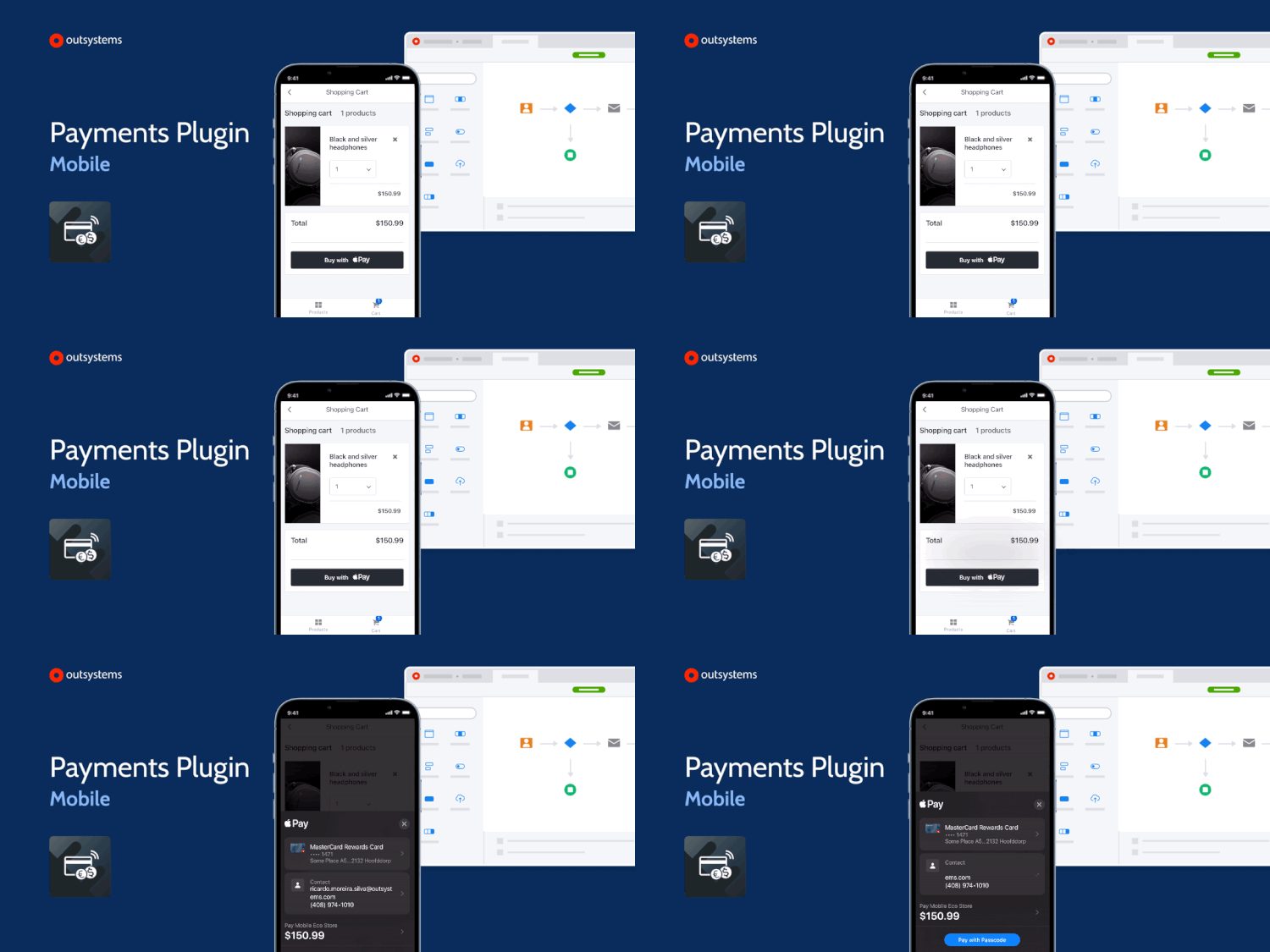
Because time is money, you can now use the Payments plugin to configure Apple Pay and Google Pay for a frictionless checkout experience in your in-app purchases. This new supported plugin also includes a configurator so you can easily set up a mobile payment back-end service. A great plugin is worth a lot, but this one is priceless.
You can now integrate your apps with Azure PostgreSQL databases using Integration Builder. Following up on the PostgreSQL and Aurora PostgreSQL connectors, the new one also allows you to create, read, update, and delete data, this time on PostgreSQL databases in Azure. Find more about it in our documentation.
You can now use single sign-on (SSO) to log in to Service Studio, Service Center, LifeTime, and other OutSystems consoles. Developers, Architects, and Operations can use federated authentication like AzureAD, Okta, or any other OpenID Connect Discovery supporting provider (OIDC). Besides the improved login experience, the federated authentication mechanism allows customers to enforce security with specific login flows across all company digital assets, such as Multi-Factor Authentication (MFA) and password policies (rotation, expiration and complexity).
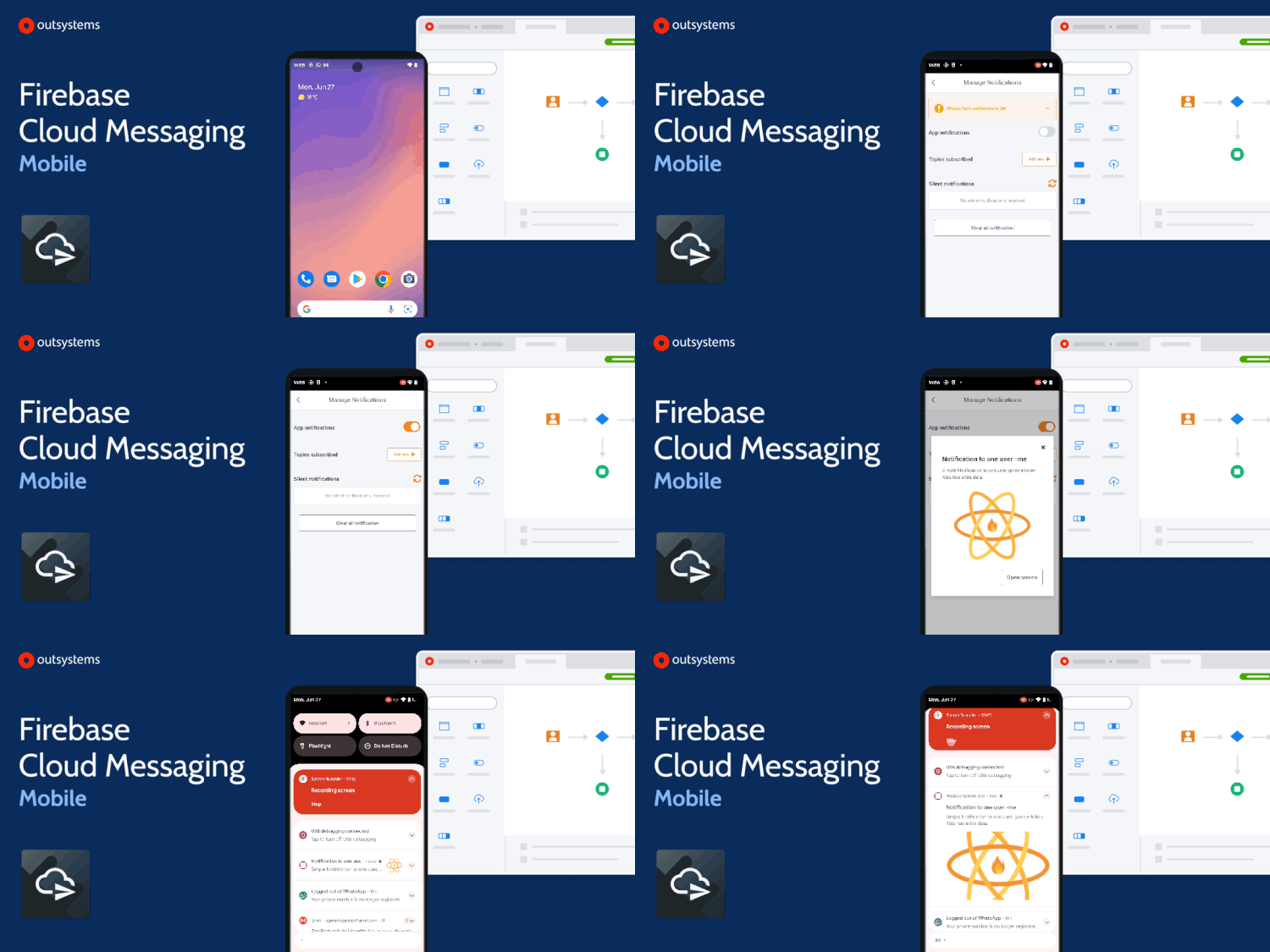
Our Firebase plugins family just got bigger! You can now use the Firebase Cloud Messaging mobile plugin to configure an array of advanced notification features and send notifications of different types to your mobile app end-users. Be the bearer of good news to your end-users and deliver them using the Cloud Messaging plugin.
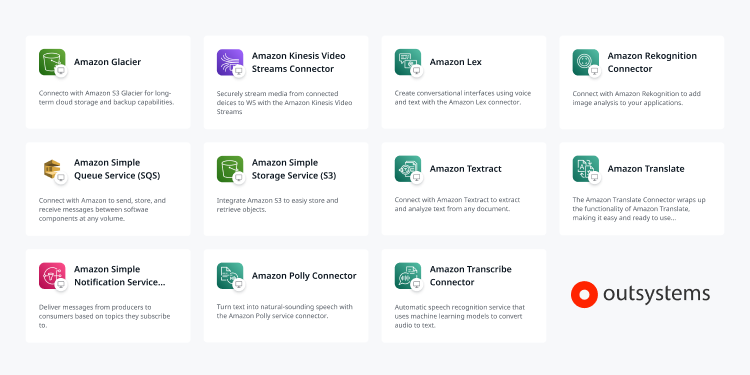
Quickly integrate your OutSystems apps with the AWS services you need with the new fully supported Forge components. These connectors will work as APIs to cover the complexity usually tied up with directly integrating an AWS web service. As of today, you can pick the one that fits better your use case from a set of 11 connectors plus cloud accelerators that bridge gaps between the OutSystems platform and precise customer requirements.
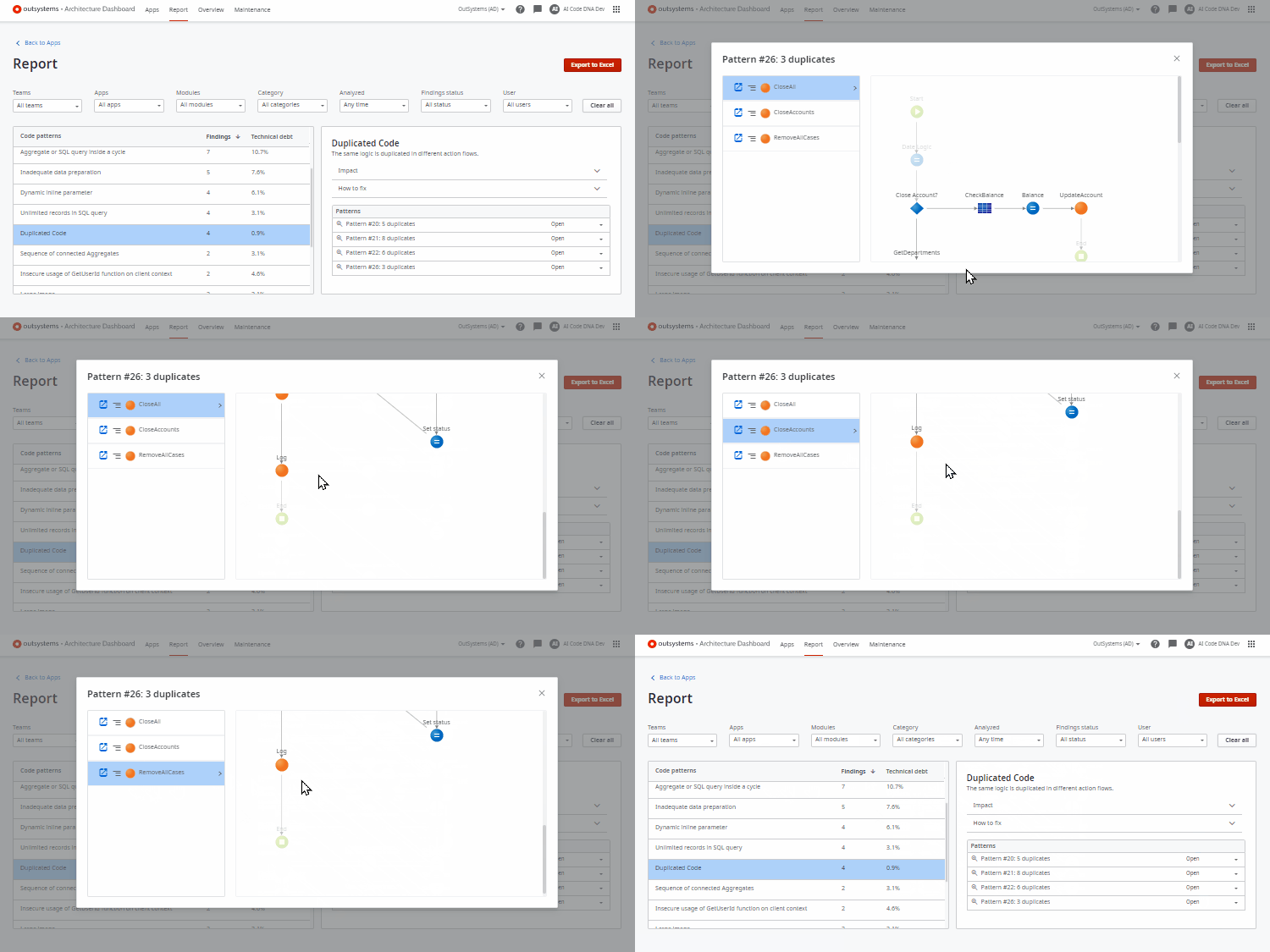
A new release of duplicated code pattern is out in Architecture Dashboard, powered by several additions to the underlying Automated Reasoning engine. This pattern increases findings' accuracy, automatically detecting more duplicated code while reducing alerts for scenarios that are not refactorable. Duplicated code is a top root cause of high technical debt and lost agility in software enterprises. This new release is in progressive rollout and will be fully available in the next few weeks. Interested in the engine and research powering this pattern? Check our engineering blog post for details.
MongoDB connector is now generally available and with new capabilities. With this new version, you can represent MongoDB collections in a structure format, as Integration Builder inspects the collection schema and generates the according structures. And this only adds to the JSON output format, which is still available. Generally available MongoDB integrations are exclusive to Integration Builder.
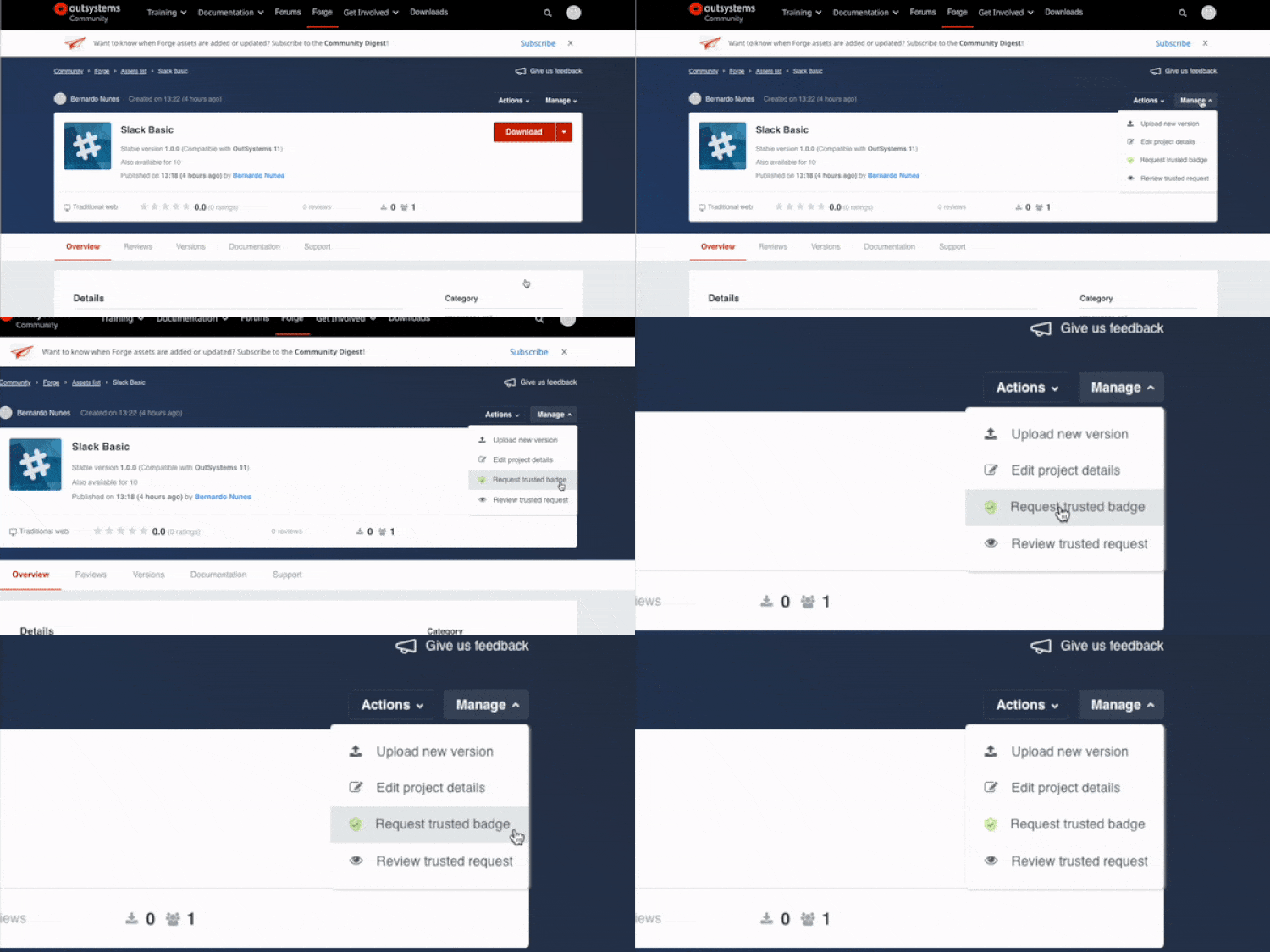
You can now request a trusted badge directly on your component's profile page on Forge, used to reward high-quality components built based on best practices. You can access this option by expanding the Manage dropdown on your component and choosing Request trusted badge. And because we want to encourage everyone that provides content of excellence for our community, we're giving +30 points instead of the usual +10 for each trusted component you get.
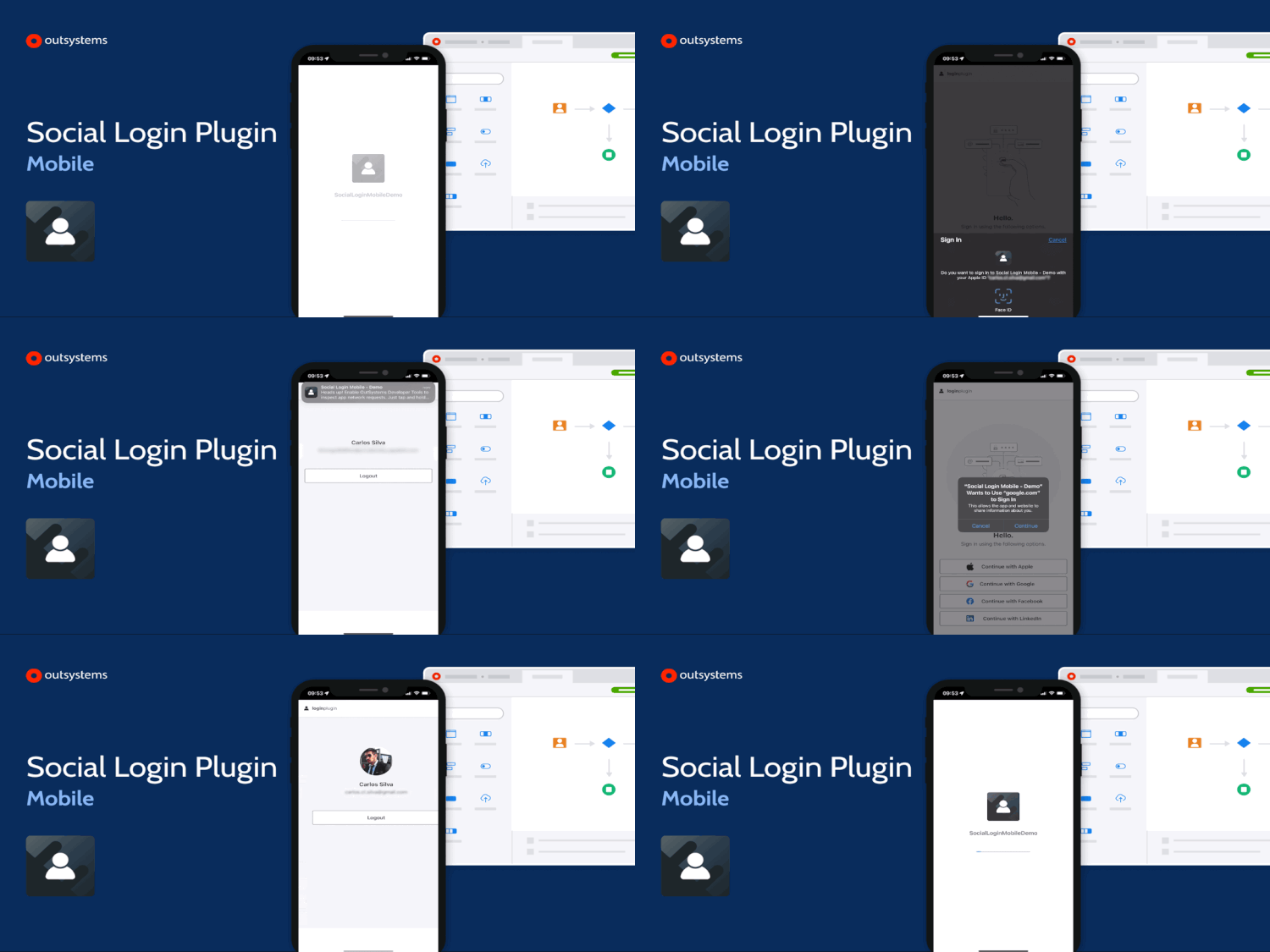
Give your app users simple and easy login experiences by tapping into the capabilities of the new Social Login plugin. You can use the Social Login configurator to store all the information needed to access top social login providers such as Facebook, Apple, or Google. Then, a simple action is all you need to unlock the power of a social login connection. For a full mobile native experience or a Progressive Web Application, just start with the plugin, and then choose the best for your users.
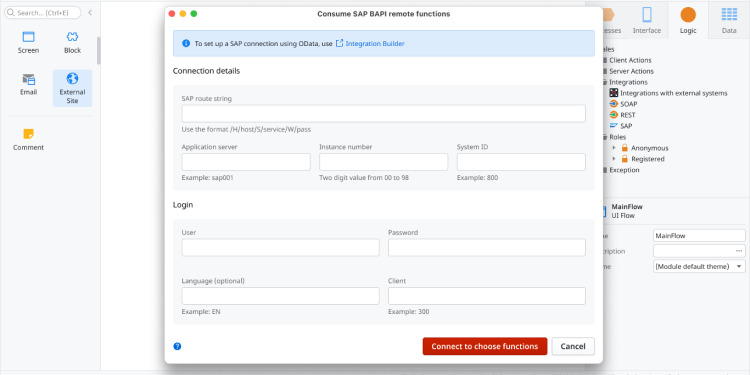
Does your company’s SAP servers store much of your data? Fear not! The improved experience of Service Studio Mac now allows you to create and manage connections from Service Studio to your SAP servers and make use of all those BAPI remote functions. Also available in Windows Beta. Have you moved to the modern SAP OData protocol, check out the OutSystems Integration Builder.
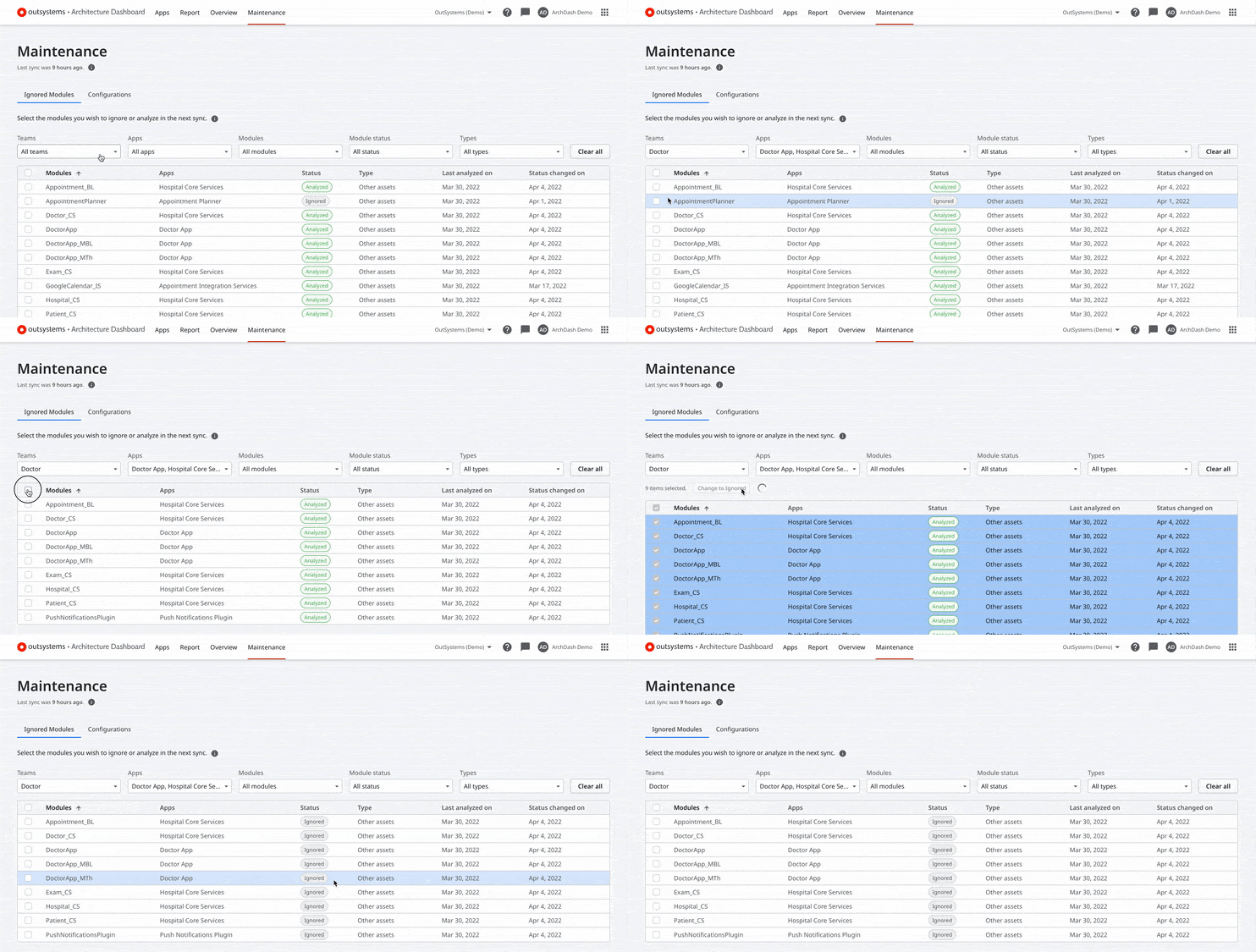
Architecture Dashboard now gives architects and team leads the ability to ignore teams, apps, Forge components, and individual modules. You will be able to bulk-ignore modules instead of going through an extensive list. Analyzing all modules in a factory can result in a misleading technical debt score, and developers may waste time resolving issues that are not a priority. To help your development team focus on the highest priorities, you can control what gets analyzed or ignored on the next sync. Learn more about ignoring modules during tech debt analysis.
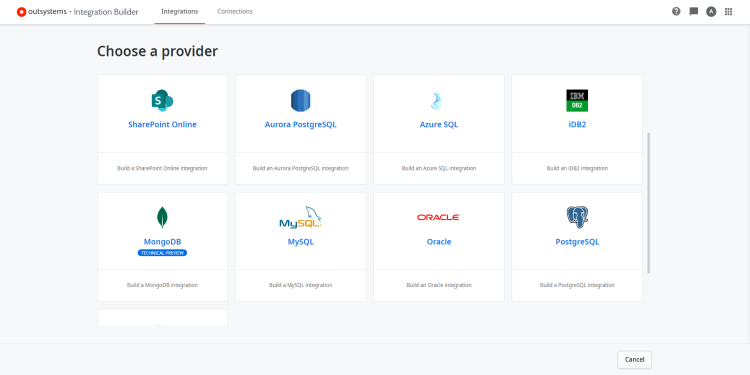
Integrations with external databases in Integration Builder are now generally available and fully supported by OutSystems. Integrate with SQL, Server, Azure SQL, Oracle, MySQL, iDB2, and PostgreSQL and do with Integration Builder what you used to do with Integration Studio, only with an improved experience. Find more about it in our documentation.
Upgrading the Platform Server is easier with the new progressive modules preparation. Instead of compiling all modules at once, the process occurs in small batches. Now, you can work on other modules while one batch is in preparation and resume the development of top consumed modules faster as the Platform Server prepares those first. The modules preparation is more resilient to failures: it no longer restarts from scratch if an error occurs, and if you need to relaunch, the already successfully prepared modules won't be included in the retry, making it better and faster. Try Platform Server's new version 11.15.0.
Integrate with PostgreSQL and Aurora PostgreSQL relational databases on Integration Builder and get an enhanced experience with one of the most popular database management systems. You can also find this external database provider on Integration Studio. Find more about it in our documentation.
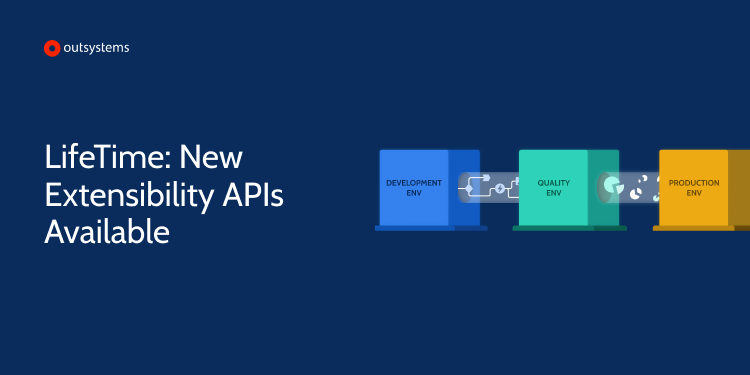
Have you ever wanted to add or remove environments automatically to and from LifeTime? Now you can automate those processes with the new extensibility APIs available from LifeTime version 11.11.0.
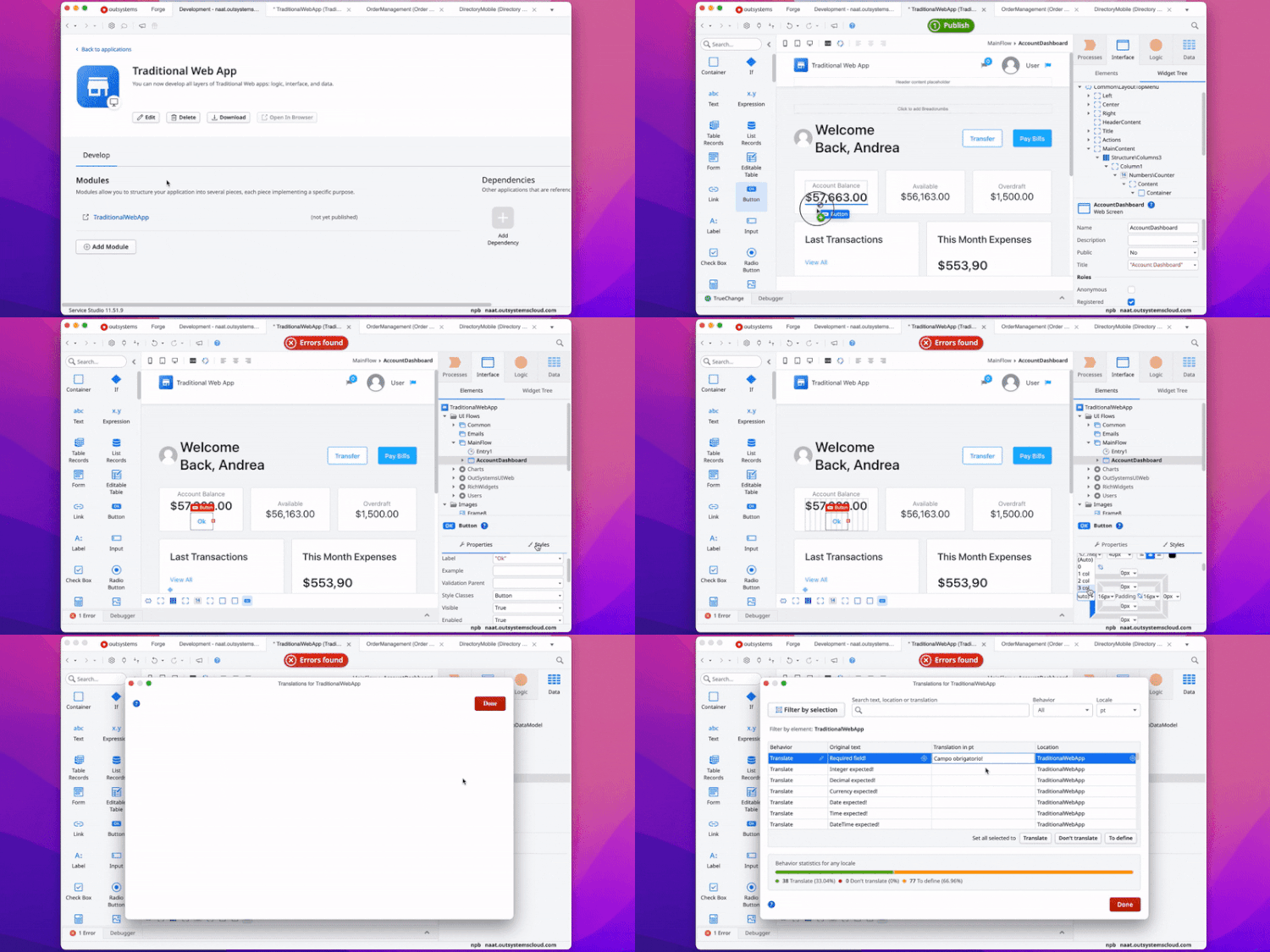
You can now develop all layers of Traditional Web apps (logic, interface, and data), translate the interface into other languages, rearrange and detach top-level tabs, refresh REST APIs, and consume SOAP web services in this new Service Studio version. Add and manipulate widgets more precisely in the UI editor; zoom in and out in the flows with the new canvas zoom. The performance and stability are also improved for better use. We’re releasing features and improvements every week. Download this version with the beautiful new UI, enhanced usability, and a dark theme on Service Studio Mac or Windows Beta.
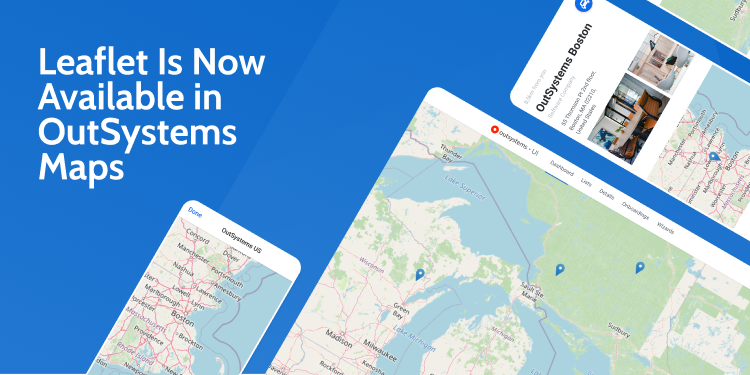
Build rich and interactive Leaflet maps without having to install an additional component. Now, as well as Google Maps, OutSystems Maps also supports Leaflet, one of the leading open-source and free map libraries. Check our working samples and respective documentation, and stay tuned for more features we’ll be adding to this component.
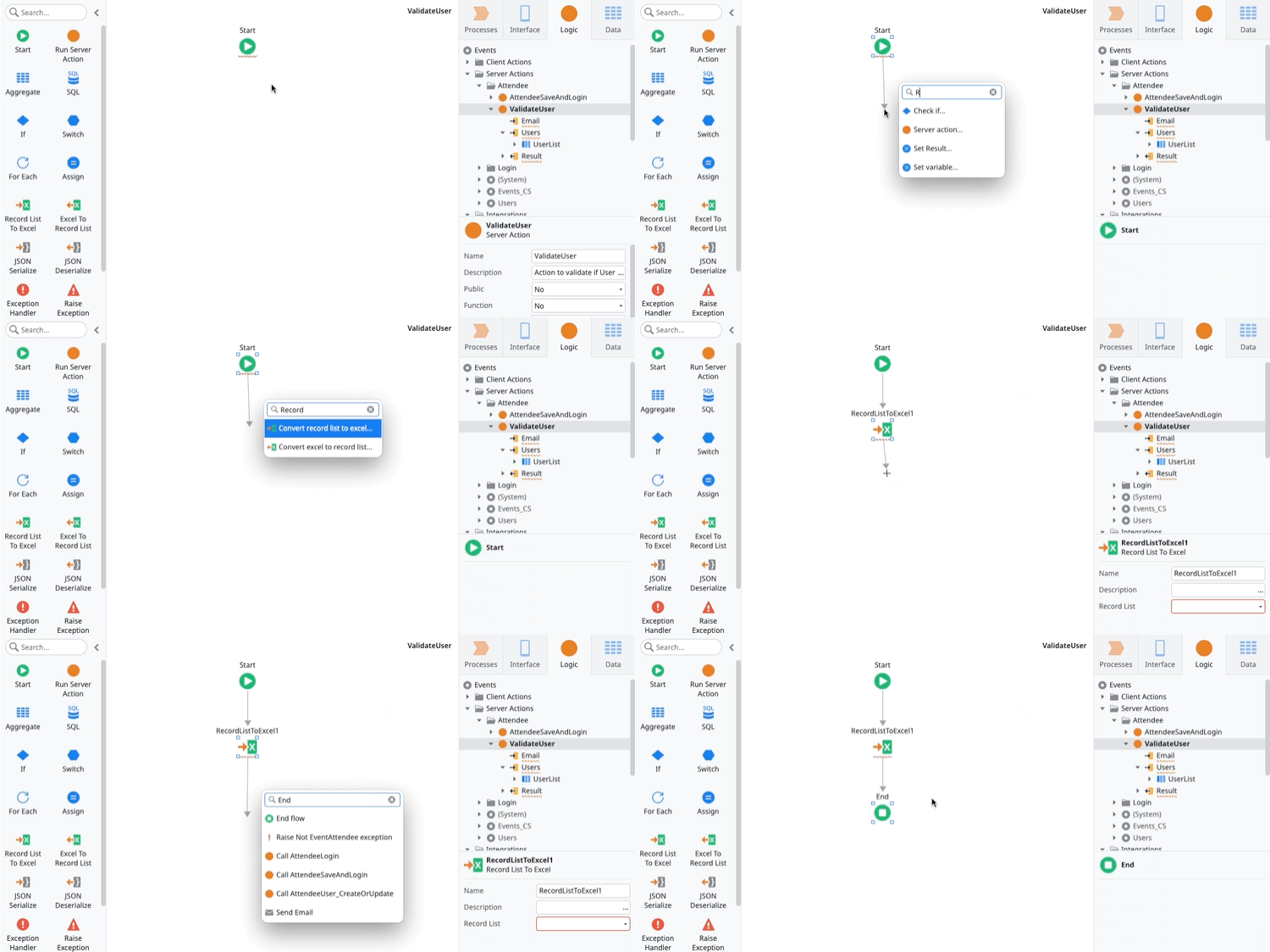
Find even more elements with the new and improved AI-assisted development quick search. Now when you receive inline suggestions and don't find what you're looking for, not only you'll get contextual actions, but you will also be able to search and add toolbox nodes directly to your flow.
Efficiently analyze and manage technical debt across all your apps with the new overview area on Architecture Dashboard. There you can have an overall glimpse of your apps' technical debt, plus a detailed analysis of the categories and code patterns that contribute the most to it. Additionally, you can see its daily evolution and variation to focus on the specific apps, modules, and teams that need your attention the most. Find more about the new overview area here.
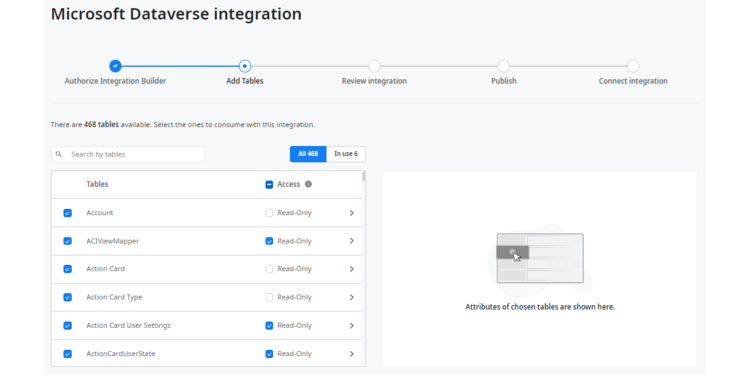
You can now set the access permissions of your integration in Integration Builder and define read-only or read and write access at the object or entity level. Easily use an integration without extensive knowledge of the underlying system of record, avoiding altogether corrupting the external system data by calling an action that other developers shouldn't access.
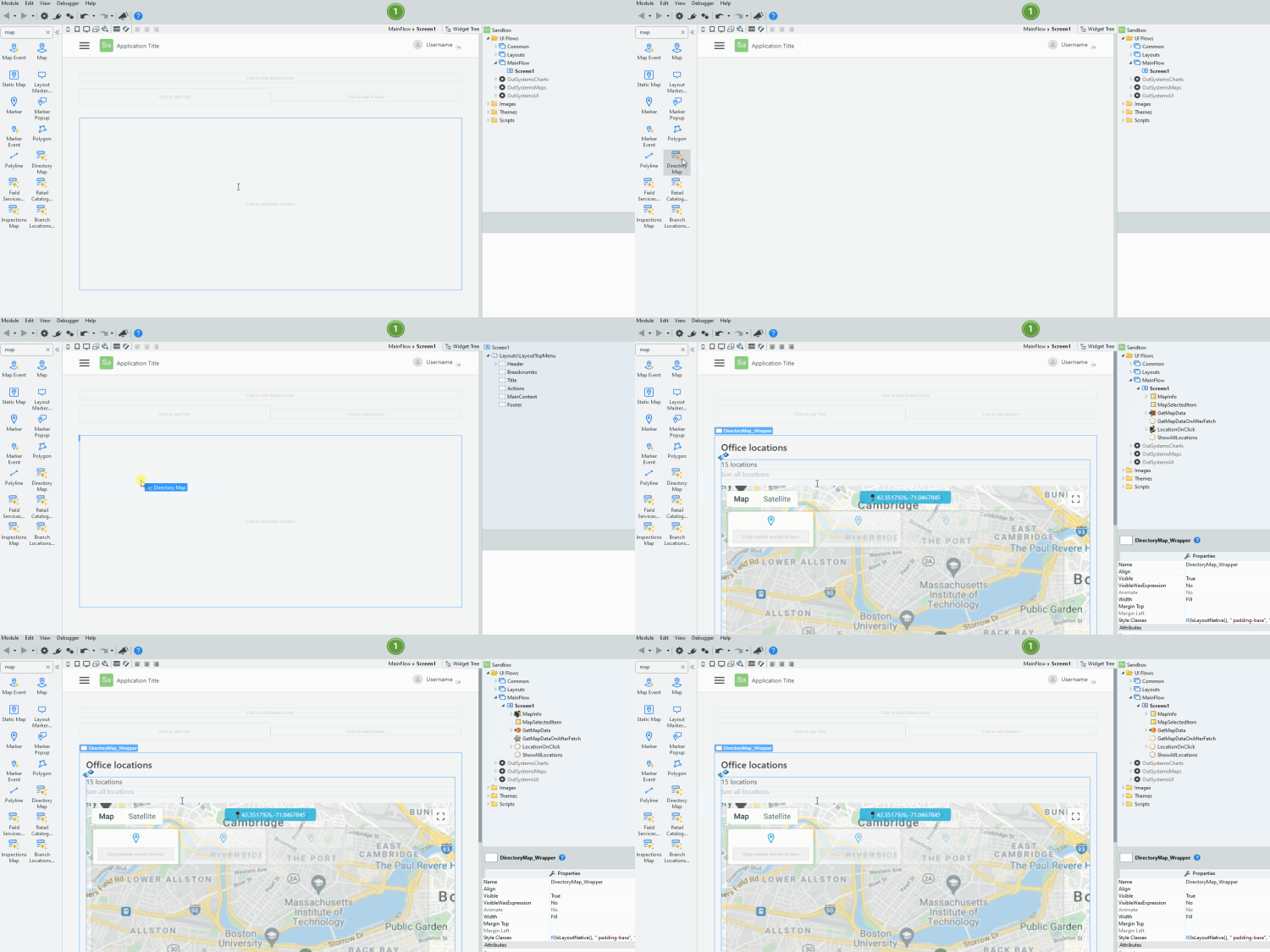
Develop apps faster with screen building blocks that you can easily use and change according to your needs. Designed for Reactive Web and Mobile apps, the OutSystems Accelerators component covers industry-specific customer use cases with sample data, so you can quickly bootstrap the development of your apps.
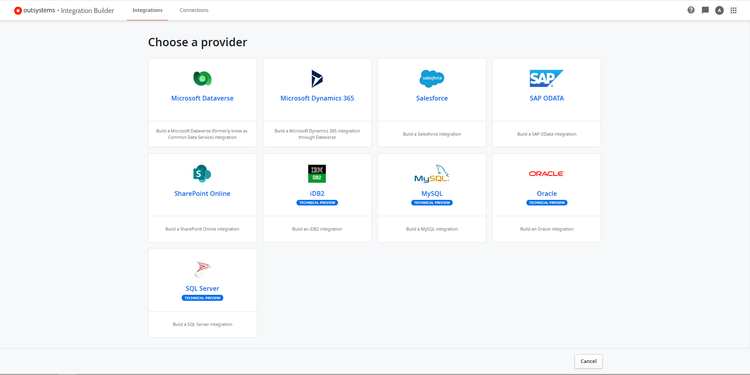
With the latest Integration Builder version, you can easily connect your apps with OutSystems supported external databases: SQL Server, Azure SQL, Oracle, MySQL, and iDB2. Do with Integration Builder what you used to do with Integration Studio, only with an improved experience. Find more about it on our documentation and stay tuned as we’ll soon support even more database providers.
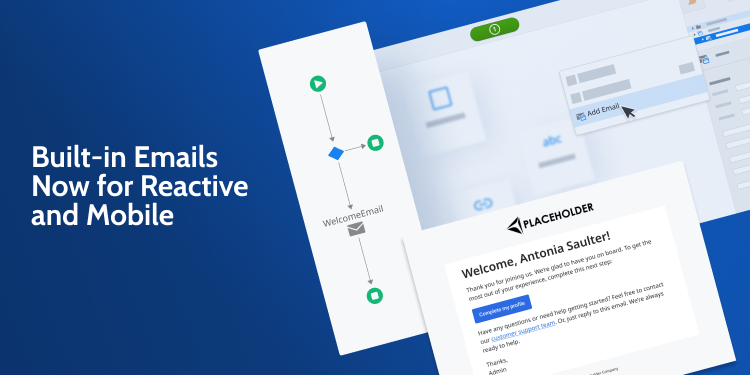
Define the content and structure of your emails and send them in your Mobile and Reactive Web apps with the built-in emails feature, now generally available. Use pre-built templates and customize them according to your needs in Service Studio to easily get started.
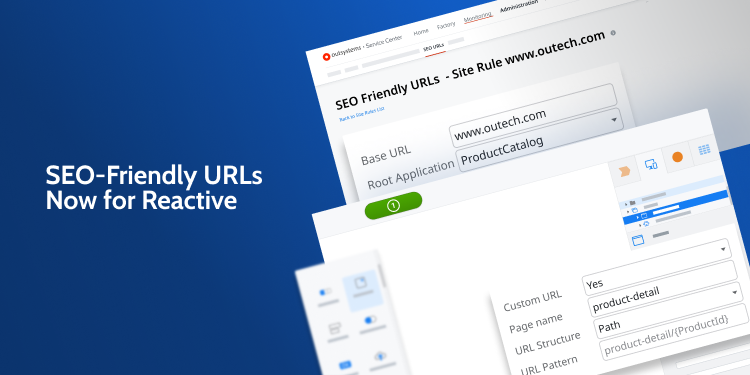
Customize your Reactive Web app’s URLs with the new SEO-friendly URLs feature, now available for everyone. Create site rules in Service Center and customize the page URL structure and page names directly in Service Studio. To improve your site ranking on search engines, you can also add robots.txt and sitemap.xml resources to your apps.
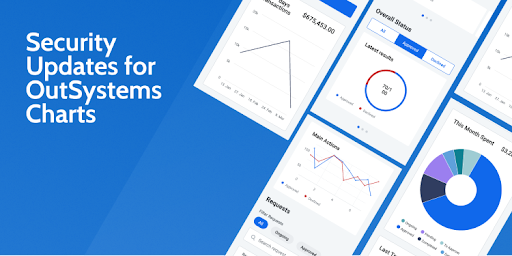
The OutSystems Charts have been updated, taking advantage of the Highcharts v9.2 charting library. This long-due update brings improved security for your apps, including additional chart types such as dependency charts, organizational or timeline charts. Accessibility features have also been improved. The team is also actively maintaining and evolving the component, meaning more frequent updates and active forum support to answer your questions.

Make the best use of health and fitness data gathered from smartwatches in your mobile apps with the Health & Fitness plugin. Through the Healthkit and Google Fit APIs, you can access, read, and write this data and explore the countless use cases that benefit from it. There are already 16 different variables for you to explore, and many more are coming soon.
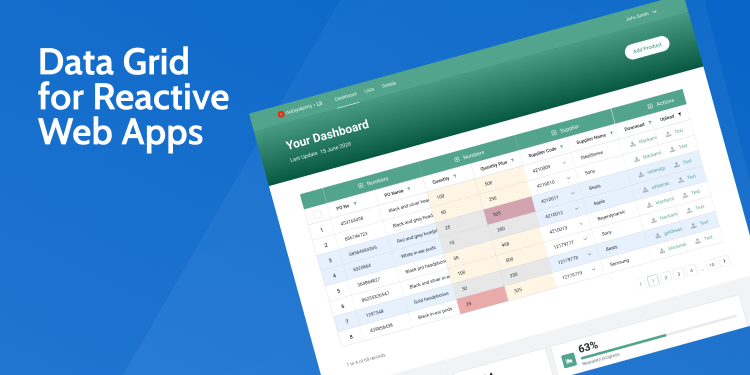
You can now group columns under a single header, and create multiple column levels on Data Grid Reactive. Grouped columns improve readability and offer the ability to expand and collapse columns. Server-side pagination is also available to reduce the initial load time of large data sets and instead load them on demand. Check out our working samples and documentation to learn more about it!
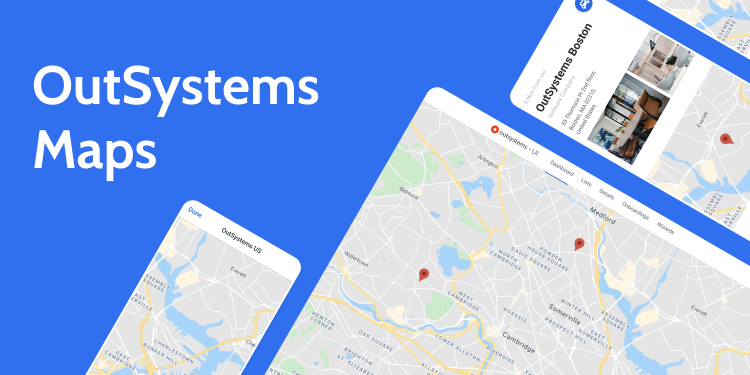
You can now easily add polygons and polylines to your map. Customize the look and feel of these shapes and even allow users to interact with them. Check our working samples and respective documentation, and stay tuned for more features we’ll be adding to this component.

Mac users can now use Service Studio natively on macOS! Check out the beautifully redesigned user interface, improved interactions, and themes - including a dark mode. This version also includes new text editors with syntax highlighting, autocomplete, find and replace, line numbering, support for ES6, and much more.
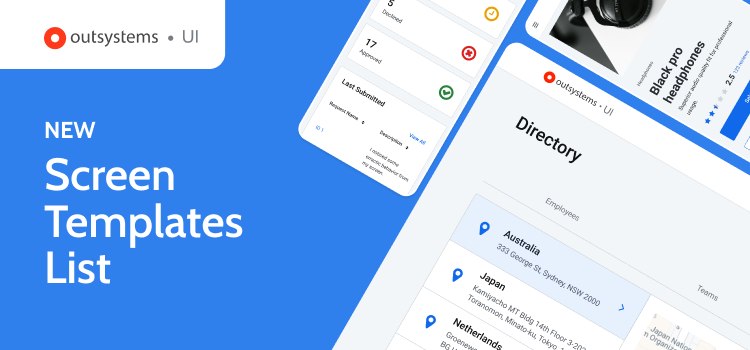
Easily find the most popular screen templates for both Reactive Web and Mobile apps, now displayed in a single discoverable list within the OutSystems UI framework. With improved UI and clearer, more descriptive language, the most widely used templates have been combined for improved findability, allowing you to customize them according to your use case and speed up development.
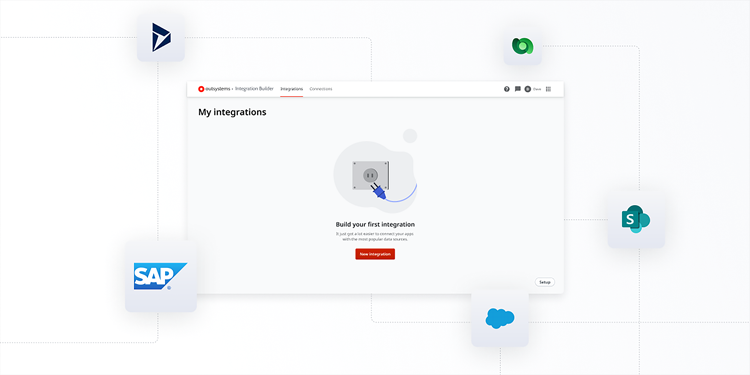
With Integration Builder, we’ve drastically decreased the time and complexity integrating with common systems of record like SAP, Salesforce, Dynamics, or Sharepoint. Access data and services from these external systems in a matter of minutes with a simple, wizard-based experience. Integration Builder does the heavy lifting for you, ensuring connections are secure and scalable while following architectural best practices. Configure integrations once, and then reuse them multiple times in your OutSystems apps. Learn more about Integration Builder here.
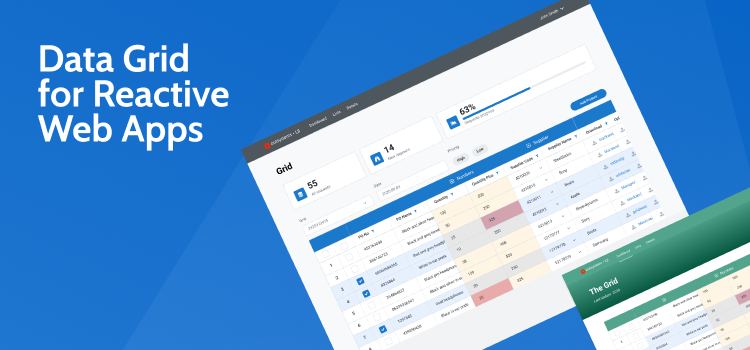
View, select, and edit large amounts of data in a familiar interface and sort data by parameter with Data Grid Reactive, a component built for Reactive Web apps. With this component, you can now create enterprise-grade interfaces for Reactive Web apps, a more suitable and time-effective option than designing a custom solution every time you need to manipulate dense datasets.
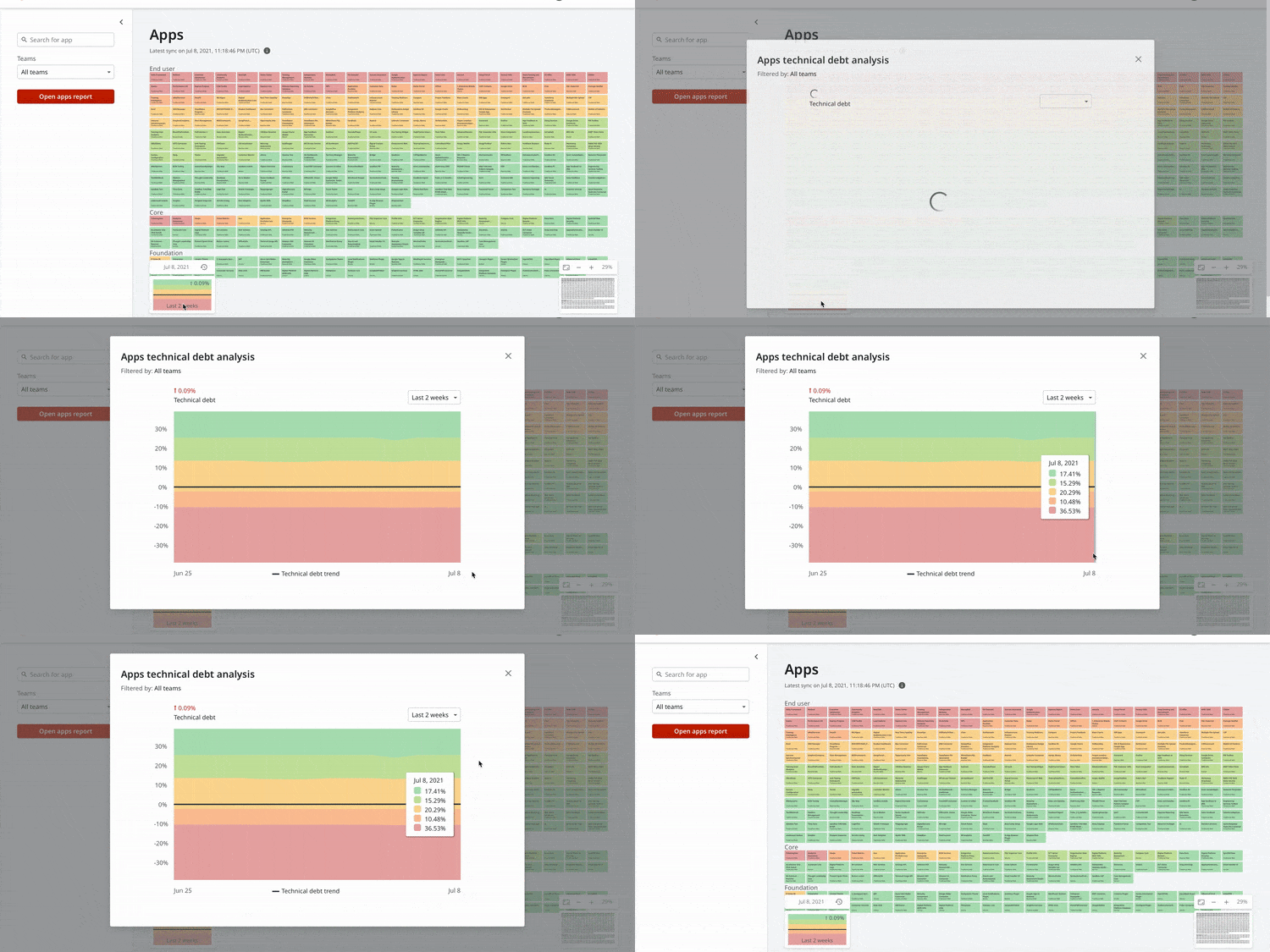
It’s now easier to read the technical debt analysis chart in Architecture Dashboard with our new formula approach. Until recently, our analysis chart showed the distribution of technical debt based on module or application count, and their agility. This chart led to difficulties in reading, since a big application full of technical debt marked as red (for low agility) is represented in the same size as a plugin that would normally be small and green (for high agility). This would end up even more complicated when the trend didn’t match the visual amount of agility. Our new formula approach considers the actual size of a module or app in the factory, delivering an improved perception of your factory's technical debt trend.
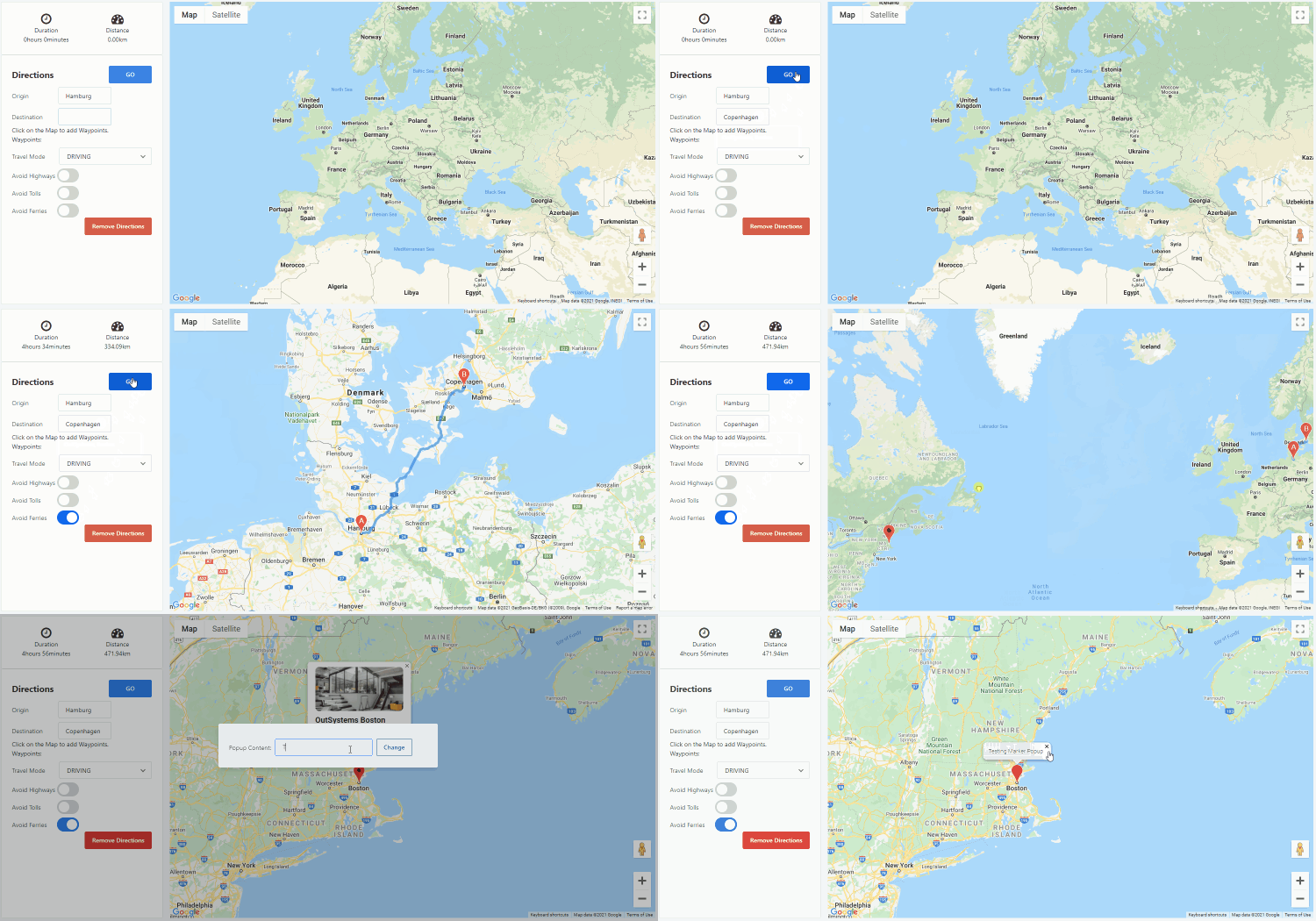
Easily add maps with single or multiple locations to your apps using OutSystems Maps. It’s fully adaptable, allowing you to change the behavior of your map and customize it according to your use case. You can also add customizable markers or popup markers, and use the Directions API to show users how to get there, no JavaScript knowledge required. Check our working samples and respective documentation, and stay tuned for more features we’ll be adding to this component.
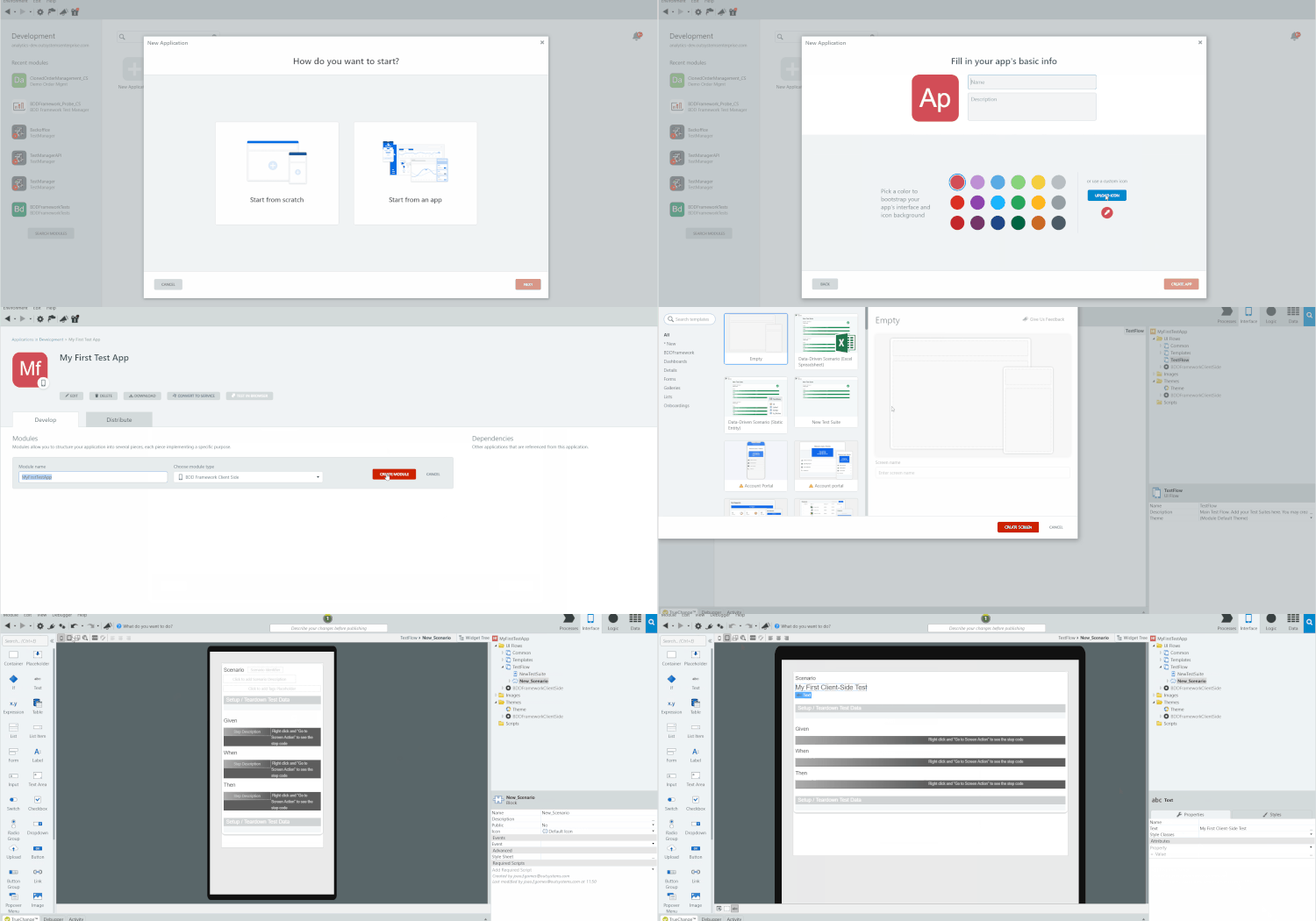
Create automated tests for your client-side actions with the new BDDFramework Client-Side testing tool. You'll already be familiar with it, as it has the same development experience as the BDDFramework (for server-side). And with the new tagging feature and improved API, you'll have greater control over your automated test executions and more detailed reporting.
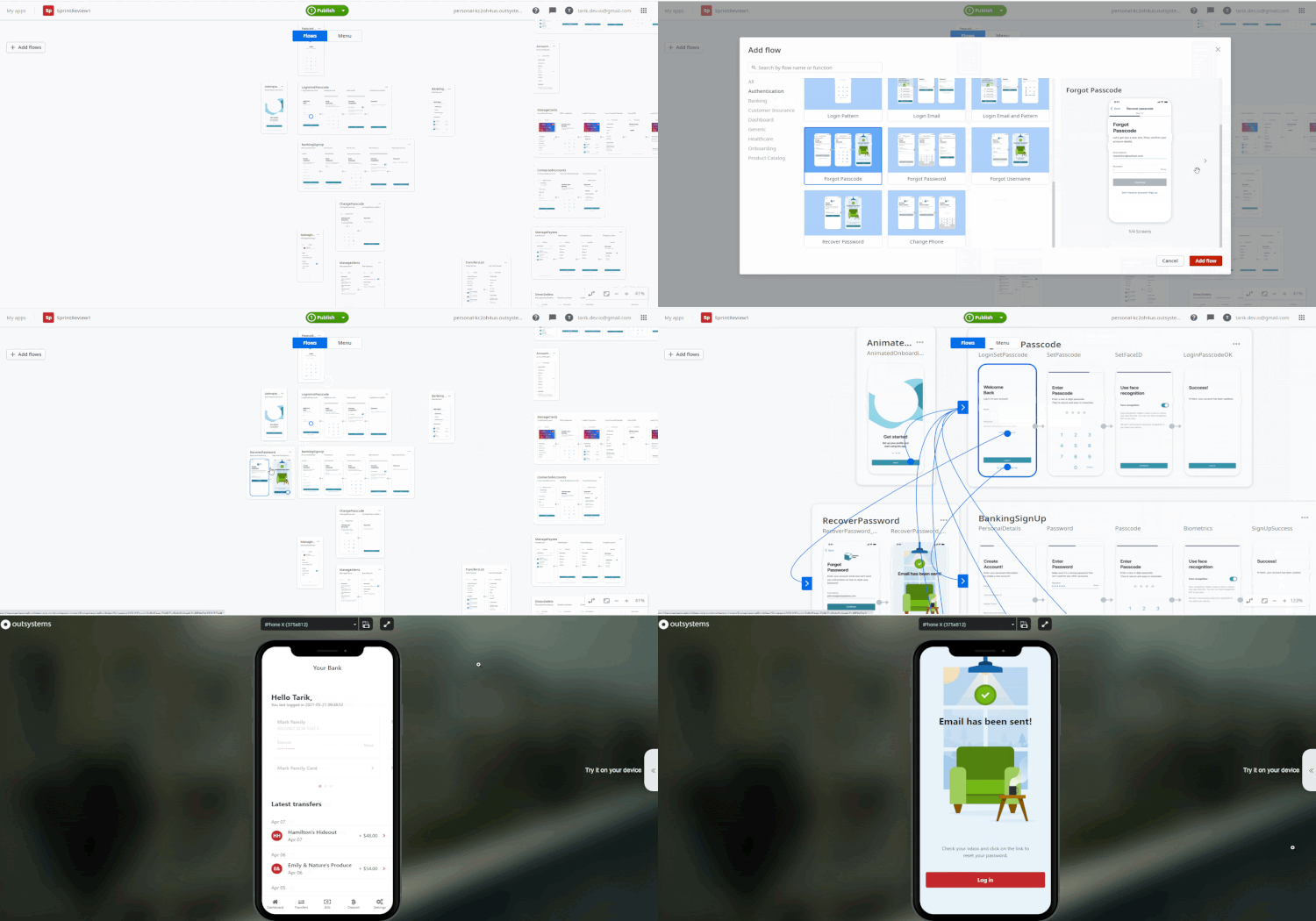
Forgotten passwords in mobile apps are a thing of the past in Experience Builder. Along with various sign-up and login options, you can now provide your end users with the ability to recover or change their login credentials, whether it’s your typical email address and password, a one-time password, or a mobile phone number.
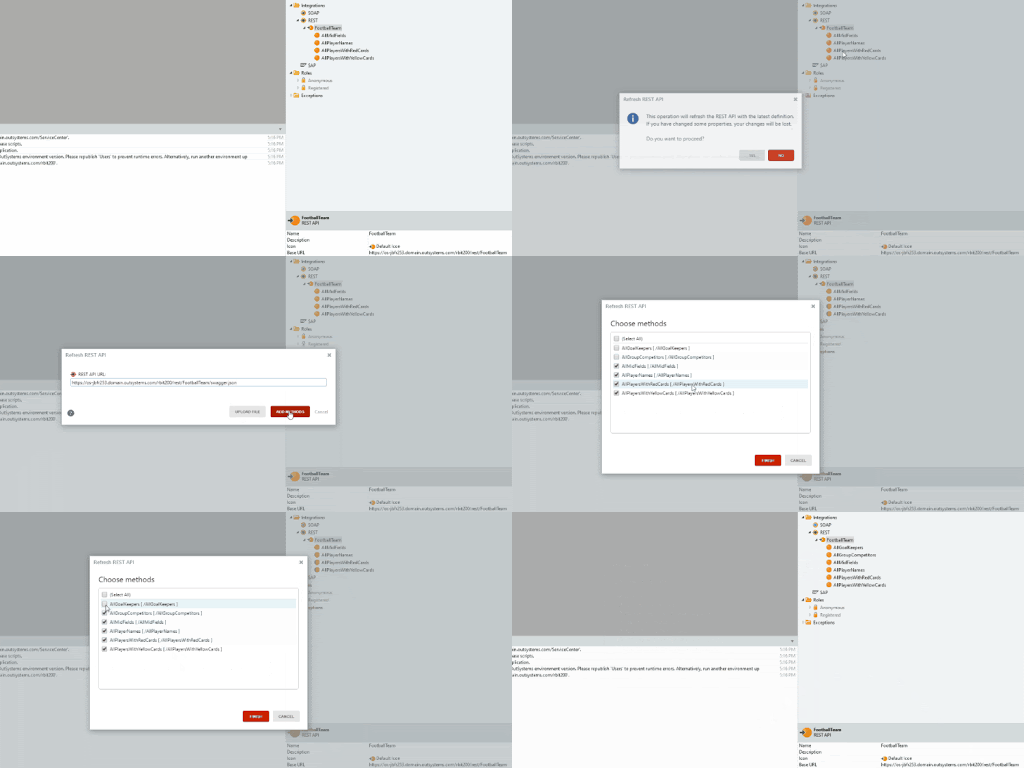
Refresh REST services, import a new OpenAPI specification, and override a consumed REST services specification, so new attributes or APIs can be consumed. Besides increasing productivity, you can now get the necessary changes from the specification file instead of implementing them manually. It will also avoid the need to import the consumed REST service all over again if you delete it.
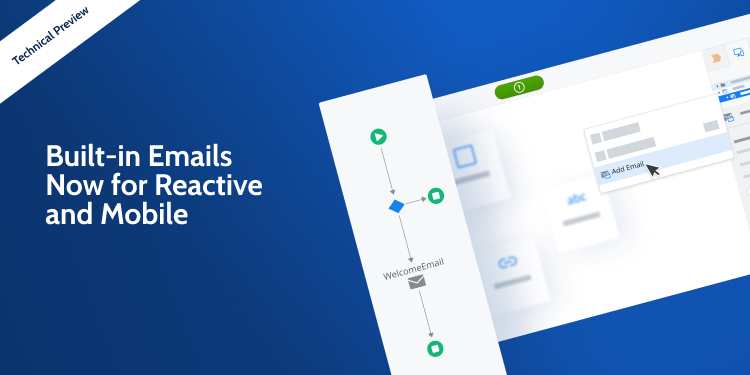
Create, compose, and send emails in Mobile and Reactive Web apps with the new Built-in Emails Technical Preview feature. Building your emails in Service Studio is easy, intuitive, and you can do it in real time.
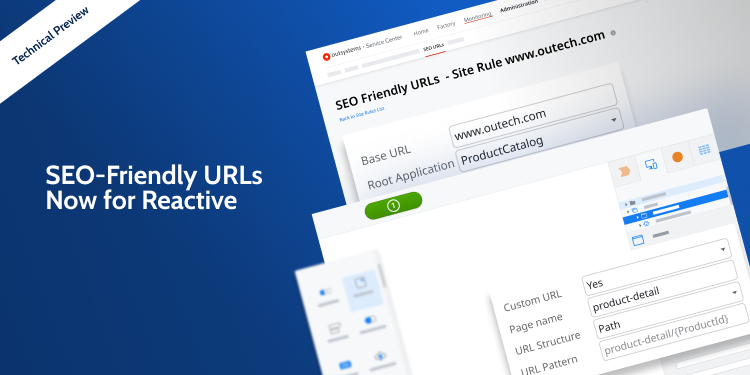
Customize your Reactive Web app's URLs for search engine results with the new SEO-friendly URLs Technical Preview feature. You can now create rules in Service Center and customize the URL structure and page names directly in Service Studio.
The new process separates the upgrade of the OutSystems platform from upgrades of OutSystems applications. Now you can upgrade to the latest version of OutSystems and benefit from all the new capabilities, stability and security of the newest version, while applications remain untouched. Each development team will upgrade their apps, on the sequence desired, allowing for better time management and risk control. The new upgrade process avoids the time consuming task of republishing all modules, which means shorter environment unavailability for development related tasks. If a “republish all modules” is desired, it can also be done at any time. This capability is available only when upgrading from any OutSystems version 11 to version 11.12 or later.
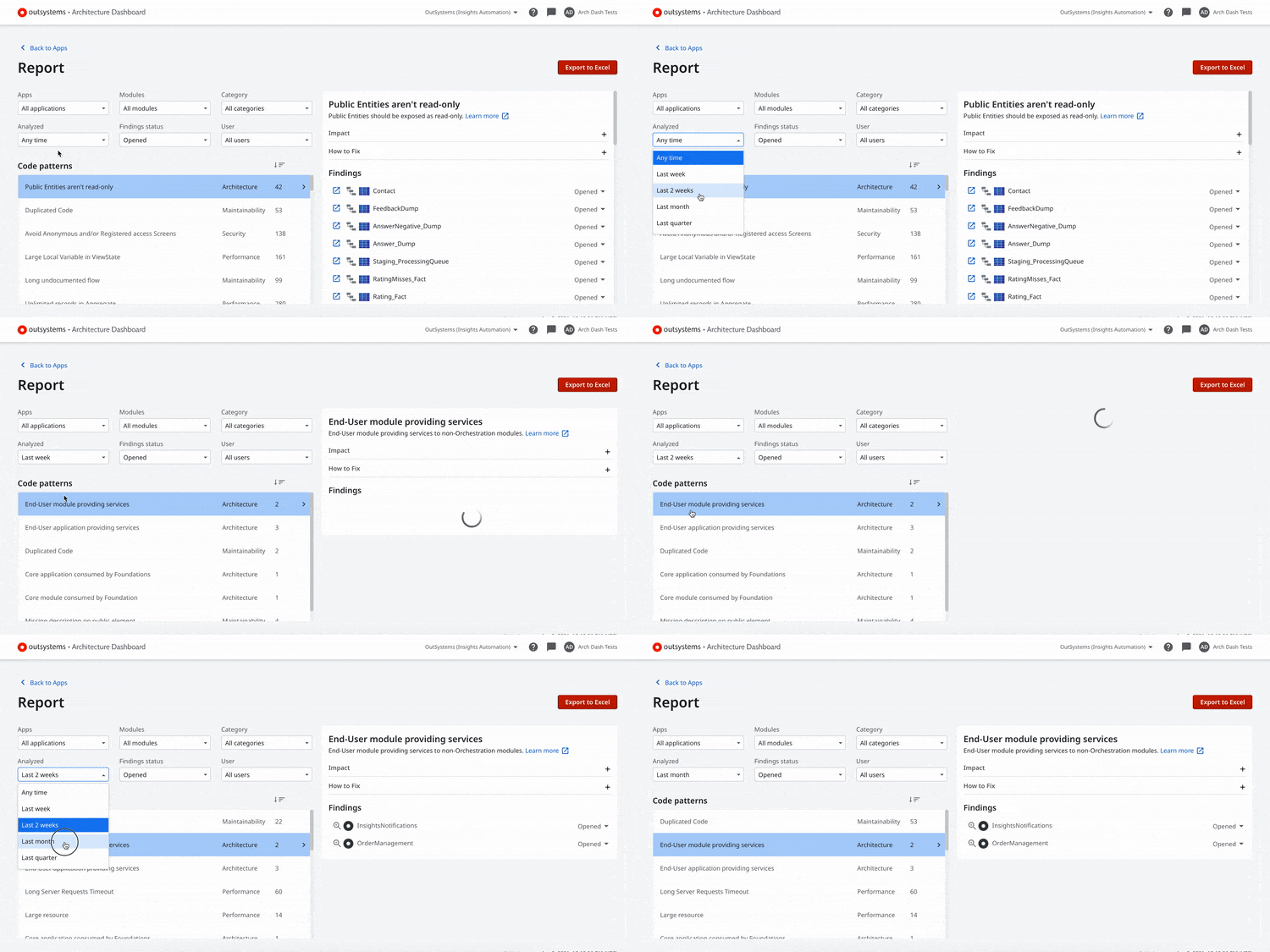
Staying on top of technical debt is super important, and the first step is to prevent it from going up. Now you'll be able to filter your report area by creation and reopen date. No more guessing work to track your recent findings, simply filter them by past weeks, sprints, or quarters, and waste no more time tackling your technical debt. Check out our documentation for more information on how to find, filter, and understand the causes of technical debt.
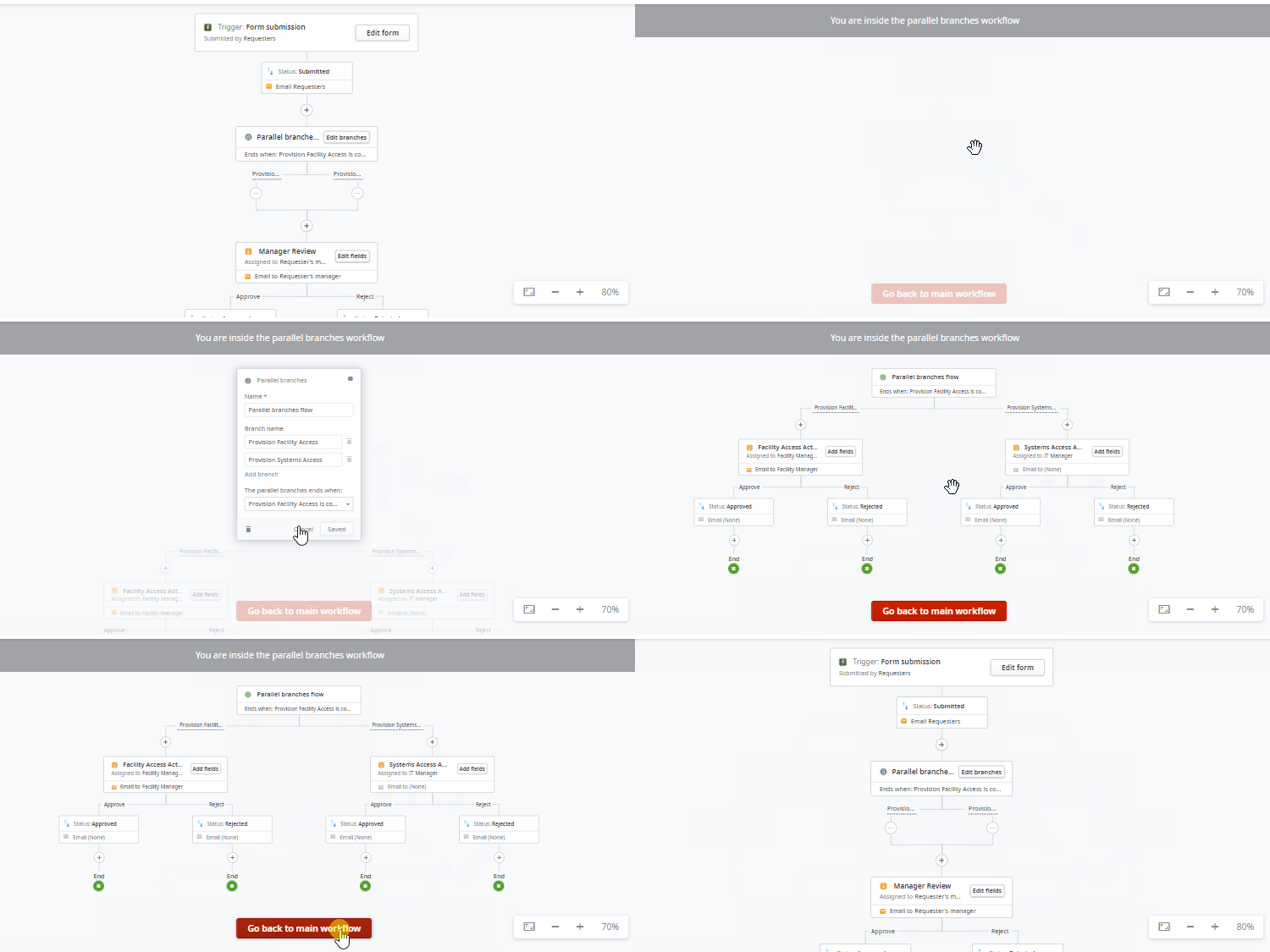
Sometimes, to get something accomplished, you need people from different teams to take different actions before you can move on to the next step. Rather than one having to wait for the other in a sequential order when completing a business process, Workflow Builder now allows people to act on these tasks in unison with parallel flows. This update provides the perfect way to design processes with multiple paths executed in parallel but within the same instance.
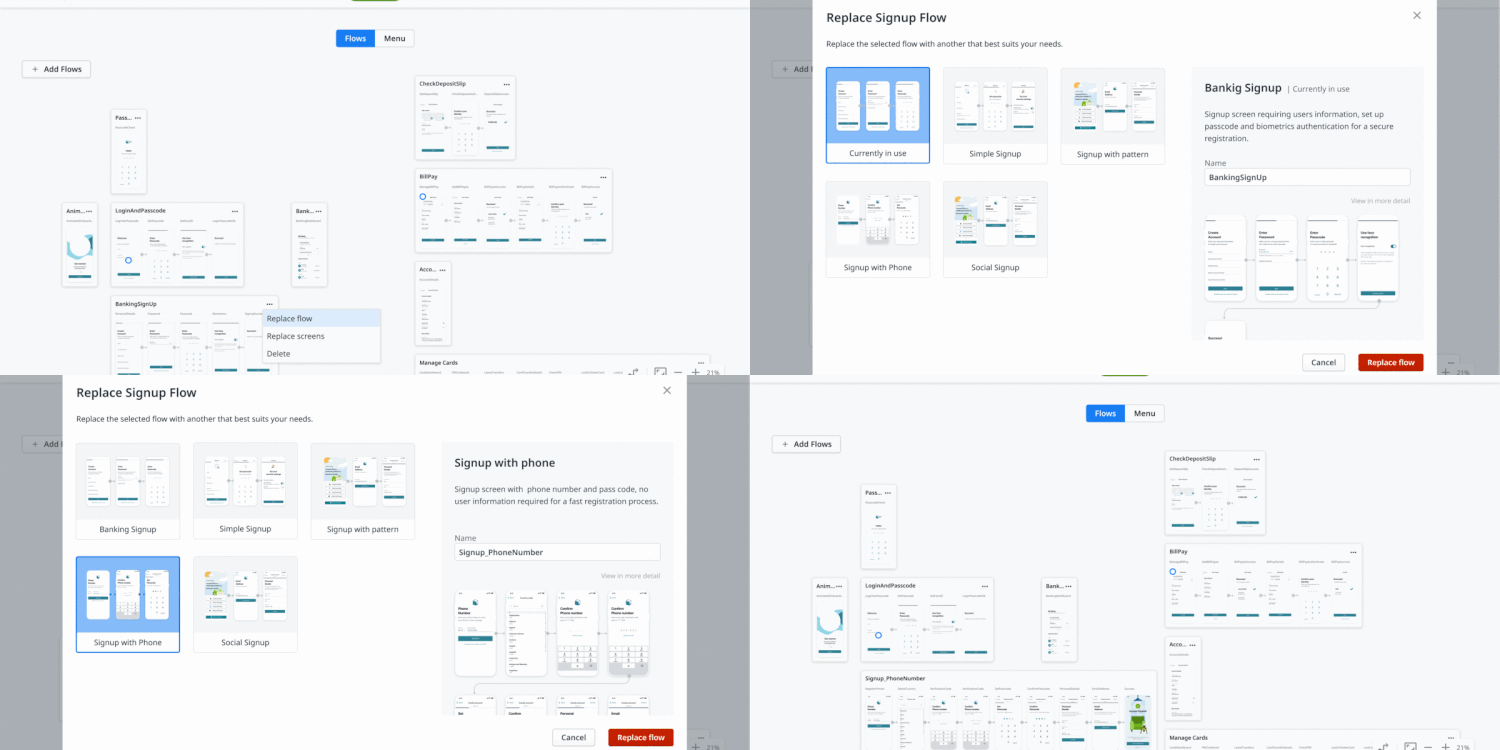
First impressions can make a huge difference, and the mobile app sign-up process is often the first time you interact with an end user. Creating an effortless onboarding experience is vital in setting the tone for the rest of their interactions. In Experience Builder, you can now make this process painless with alternatives beyond the standard “What’s your email?” login. Try out other options to help people sign in with a phone number, one-time password, or drawing pattern. Familiarity and speed are the best approaches for getting people to dive into your apps!
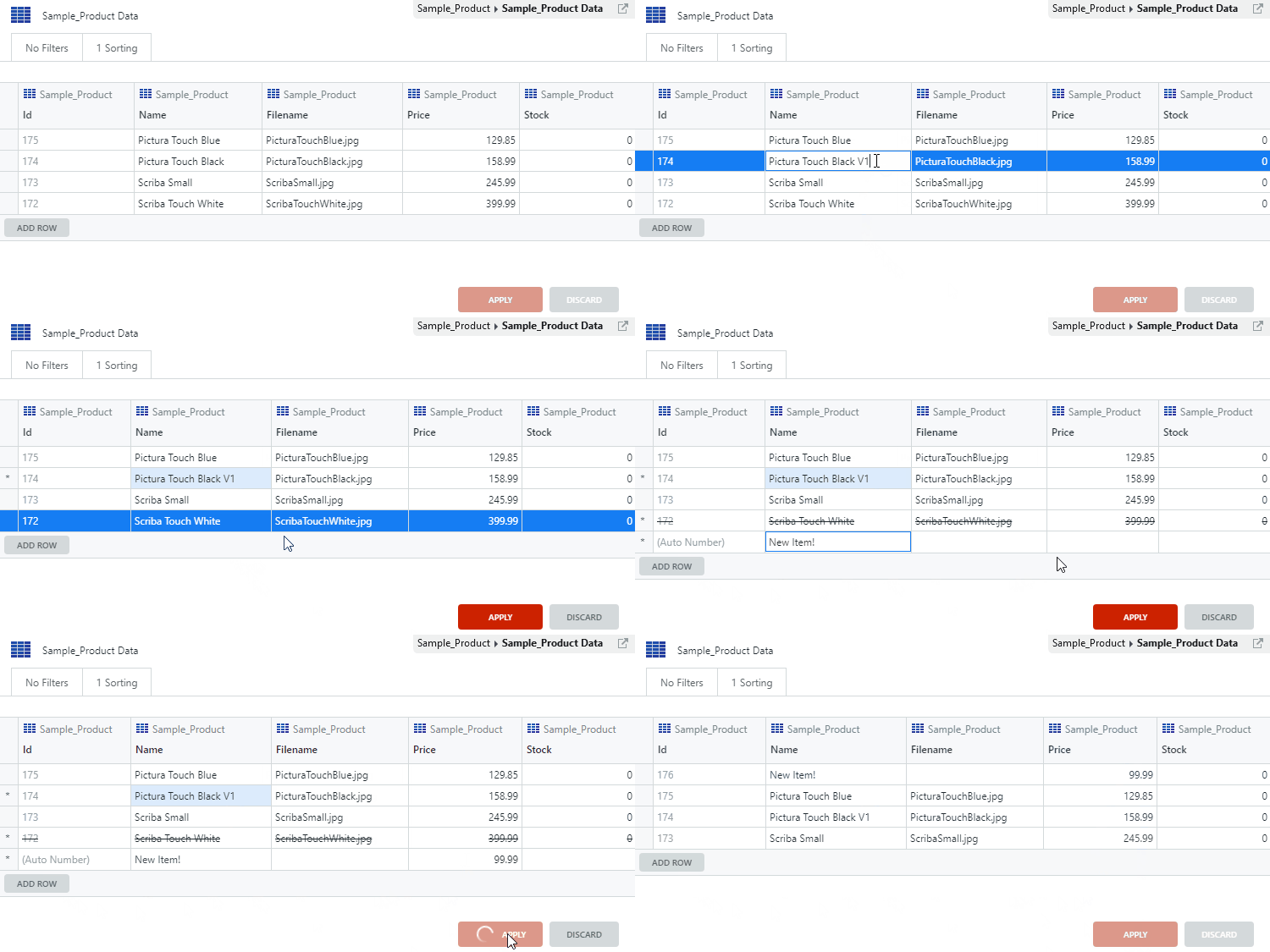
Quickly add, edit, and delete entities directly in non-production environments. Simply double-click the attributes you want to change and make any necessary adjustments. You'll boost your productivity by editing data at least 10X faster, opening up priceless time in your day. Full back offices, advanced SQL queries, or advanced knowledge is no longer necessary when preparing your data for tests or demos! This feature will be available for everyone with Platform Server version 11.11.1 or above.

As a developer, when you start building a mobile app, do you ever get that feeling of déjà vu? Like remembering that team X developed that amazing flow for onboarding journeys in product Y and how useful it would be to take advantage of it? In Experience Builder, you can now create your own assets by importing your flows (with your own UX/UI, data, integrations and embedded best practices), so they can be shared and reused by all other Experience Builder users, provided they’re on the same infrastructure.
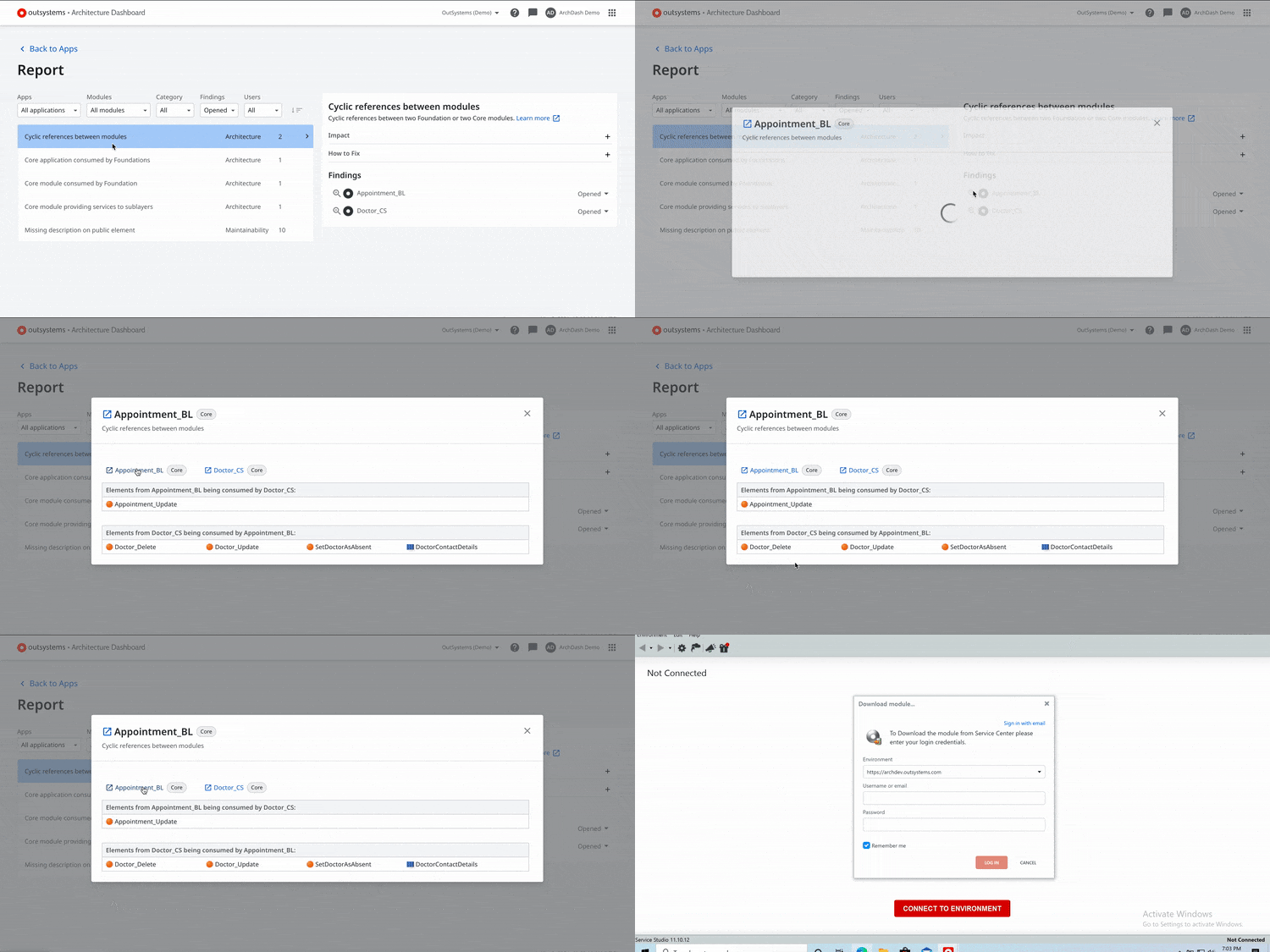
No more jumps! In the quest to evolve the Architecture Dashboard into a more autonomous tool, users are now able to have a complete experience through solving findings. There’s no need to navigate away to search for consumed elements information. We added the required information on dependencies and the list of elements consumed with each architecture finding.
The latest Mobile Apps Build Service (MABS) version is now generally available! MABS 7.0 uses Android 11 (API level 30) and iOS 14 SDKs and supports Android X. Get the latest version to ensure you remain compliant with the necessary requirements to publish your Android apps on Google Play and your iOS apps on the App Store. For further details, check the MABS 7.0 release notes.